AI for ABM advertising: targeting, creative and measurement
Your own AI should narrow an ABM audience while the platforms' AI widens it, and the 300-member floor, contact-only Google lists and small holdouts set the real limits.

AI in account-based marketing (ABM) advertising does three jobs: it ranks and tiers the accounts you target, it drafts ad variants per segment or per account, and it rolls ad engagement up to accounts to compare with pipeline. The ad platforms' audience rules set the limits on all three.
You've probably seen the version that goes wrong. The account list took a quarter to agree with sales, the campaigns went live, and three months later the dashboard says engagement is up 40%. Then the CRO asks which of the 200 named accounts opened an opportunity, and nobody can answer without a weekend in spreadsheets.
This article is for the CMO or head of demand gen deciding where AI belongs in an ABM advertising program. It covers one rule most guides skip: your own AI should narrow the audience, while the platforms' AI is built to widen it. It also gives the platform limits that decide how far personalization can go, a tiering template, and a way to measure that survives a CFO's questions.
AI in account-based marketing is still mostly experimental
Most ABM teams use AI on a limited scale or not yet at all. In the 2024 ABM Benchmark Survey by Momentum ITSMA and Demandbase, as reported in Demand Gen Report's 2025 State of Account-Based Marketing, nearly 40% of marketers were implementing generative AI "on a limited scale" in their ABM programs and another 33% were exploring use cases. They rated their generative AI maturity 2.3 out of 5, up from 1.6 a year earlier.
The same survey says what those teams use it for: 50% generate insights into the needs of their accounts, while only 25% use it to write marketing materials. That order is right for advertising too, because a personalized ad aimed at the wrong account is still money spent on the wrong account.
ABM usually runs in three tiers: one-to-one for a handful of strategic accounts, one-to-few for clusters that share a problem, and one-to-many for hundreds or thousands of accounts on an always-on program. AI changes the economics of each tier differently, and the sections below say how. The gain for an ABM team is time spent on the right accounts, and Scalewell helps build the scoring, list syncing and account reporting that make AI part of that routine.
Your AI narrows the audience, and the platforms' AI widens it
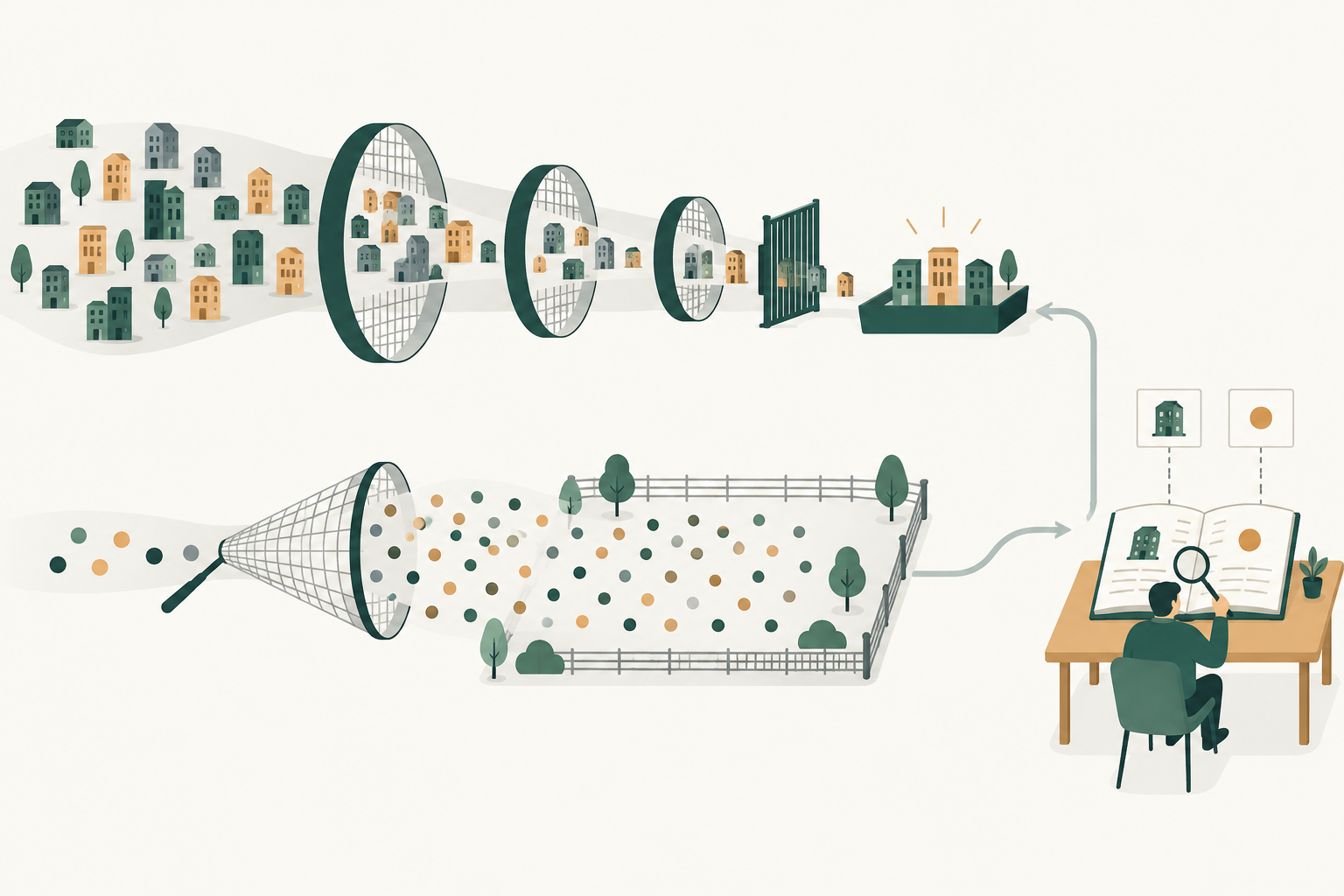
There are two kinds of AI in an ABM ad account, and they pull in opposite directions. The AI you run (a model scoring accounts, an assistant drafting briefs) exists to concentrate spend on fewer, better accounts. The AI the platforms run exists to find more people likely to convert, which usually means people outside your list.
LinkedIn is the clearest case. LinkedIn discontinued lookalike audiences on February 29, 2024 and points advertisers to predictive audiences and Audience Expansion instead, both of which go beyond the accounts you named. LinkedIn's help center says Audience Expansion "is automatically enabled on ad sets where it's available," which we covered with the fix in our guide to B2B paid media. On Google, an uploaded list in Performance Max is an audience signal, and Google's API documentation says the campaign uses it to "find new customer segments that you might not have expected."
Platform AI is fine for prospecting and the wrong tool for a named-account campaign. We'd write one rule into every ABM brief: campaigns aimed at the named list run with expansion off and the list as a hard boundary, and anything that lets the platform go wider runs as a separate, labeled prospecting campaign with its own budget.
AI tiers accounts best when the list stays a decision sales signs
AI account selection works best as a ranking that people approve, because the model sees patterns in your closed deals and sales knows which accounts are already in a conversation. Give a model a year or two of closed-won and closed-lost opportunities with firmographics, and it will tell you which industries, sizes and tech stacks win. We covered that analysis in AI demand generation, and audience construction across channels gets its own article in AI audience segmentation.
For ABM advertising, the model's job is narrower: put every account on the list into a tier and say why, with a source for each reason. A language model asked to research an account will happily invent a recent funding round or a new CTO, so every reason in the "why" column needs a link to a CRM record, a data provider row or a public page a person can open.
Here is a tiering template you can copy, filled with hypothetical rows.
| Account | Fit score (0 to 100) | Signal in the last 30 days | Relationship | Matched LinkedIn members | Proposed tier | Why, with source |
|---|---|---|---|---|---|---|
| Company A (software, 2,400 staff) | 91 | Pricing page visits from 3 people | Open opportunity | About 1,100 | 1:1 | Matches closed-won profile (CRM report link); visits (web analytics link) |
| Company B (payments, 600 staff) | 84 | Competitor review site research | None | About 180 | 1:few, "payments risk" cluster | Same stack as two won deals (CRM link); signal from intent provider export |
| Company C (insurtech, 300 staff) | 77 | None | Former customer | About 90 | 1:many | Churned 2024 for budget reasons (CRM note link) |
| Company D (bank, 40,000 staff) | 88 | Webinar attendance, 2 people | Partner-sourced | About 9,000 | 1:1 | Partner referral (CRM link); webinar list |
Run the model monthly, and have the account owner in sales accept or reject each change. The intent column deserves suspicion until you've tested it against a holdout, which the AI demand generation article linked above explains. If you score leads as well as accounts, keep the two models apart, because a hot lead at a tier-3 account shouldn't quietly promote the account. Our guide to AI lead scoring covers the data a lead model needs.
The 300-member floor decides which accounts can get their own ads
LinkedIn will only serve an ad set built on a company list once that list matches at least 300 member accounts, and that rule caps how far one-to-one advertising can go. LinkedIn's company list help page says an uploaded list needs at least 300 rows and "must match a minimum of 300 member accounts to be used in an active ad set." The maximum is 20 MB or 300,000 companies, matching can take up to 48 hours, and an audience expires if no active or draft ad set uses it within 90 days.
The floor counts members, not companies. A single enterprise with thousands of employees on LinkedIn can carry its own ad set, but a 300-person target account usually can't, because not all of its staff are on LinkedIn and every job function or seniority filter shrinks the count further. That is why the "Matched LinkedIn members" column sits in the template: it tells you which tier-1 accounts can have dedicated ads on LinkedIn and which have to be grouped with similar accounts.
Watch how the list gets refreshed, too. LinkedIn's API documentation for account targeting says a campaign using a CSV-based audience is paused until a replacement list is fully evaluated, which can take 24 to 48 hours, while the streaming method updates the list without pausing campaigns. Streaming needs access to LinkedIn's Audiences program, which is separate from general Marketing API access. If AI re-tiers your accounts every week and a tool replaces the CSV audience through the API each time, the campaigns can spend a share of every month switched off. LinkedIn's help center doesn't say whether replacing a list by hand in Campaign Manager pauses campaigns the same way, so check the ad set status after your first refresh.
Google and Microsoft handle accounts differently, and the table shows the gap.
| Platform | How you target named accounts | The limit that matters | Source |
|---|---|---|---|
| Company list upload (CSV or streaming), plus job function or seniority on top | 300 matched members per ad set; replacing a CSV audience through the API pauses campaigns | LinkedIn help and API docs | |
| Google Ads | Customer Match with contact data (email, phone, mailing address, IP, mobile device ID), not company names | Targeting needs 90 days of history and over $50,000 lifetime spend; otherwise observation and exclusions only | Customer Match policy, upload formats |
| Microsoft Advertising | LinkedIn profile targeting by company, industry or job function | "Bid only": it raises bids for matching people and doesn't narrow the audience; up to 1,000 companies, added by hand | Microsoft Advertising docs |
In practice, LinkedIn carries the named-account work, Google reaches target accounts only through contacts you already hold, and Microsoft lets you pay more for searches from target companies without excluding anyone else. Microsoft describes itself as the only ad platform other than LinkedIn that targets on LinkedIn profile data, which makes its bid adjustment a low-effort addition to an ABM search program.
LinkedIn ABM uses company lists, company attributes and two account reports
LinkedIn ABM is account-based advertising run inside Campaign Manager, and it comes down to three choices: how you name the accounts, how you narrow the people inside them, and which report you read by company.
The Company Name attribute takes up to 200 companies, according to LinkedIn's targeting options page, which suits a short tier-1 list entered by hand. Anything longer goes in as the company list described above. For the one-to-many tier, company attributes can do the narrowing instead: Company Category covers segments such as funding stage and Fortune lists, while Company Revenue and Company Growth Rate target on LinkedIn's own estimates. Company Connections reaches the first-degree connections of employees at companies you pick, but only at companies with more than 500 employees.
Reporting has moved. LinkedIn replaced its Company Engagement Report with Companies, the hub covered in the reporting section below, in November 2024, so an older ABM guide that sends you to the report describes a screen that no longer exists. The second report is Professional Demographics, opened from the Advertise page in Campaign Manager, which breaks results down by company, industry, company size, job function and seniority. LinkedIn says its figures are "within three units" of actual results, take 24 to 48 hours to appear, and only show where there is enough data to protect member identity (LinkedIn).
That export is the quickest leak check an AI assistant can run. Once a month, give it the Professional Demographics export and the approved account list, and ask for the share of impressions that landed on listed companies and the listed accounts that took impressions with no engagement. A growing share of off-list companies is the first place to look for an ad set where expansion has crept back on. Listed accounts with a quarter of impressions and no engagement go to the next re-tier as candidates to drop, with the account owner approving as before. A small account can also be missing from the export for privacy reasons alone.
AI drafts the variants, and people approve the claims
Generative AI makes one-to-few creative affordable, because writing a separate set of ads for every cluster is slow work for one copywriter. Demandbase's Alicia Hale put the old constraint plainly in Demand Gen Report's AI Meets ABM playbook: "it's hard to have the bandwidth to launch fifty different landing pages that are highly personalized for multiple personas within an account." A model can produce first drafts of those pages and the ads that point to them, which leaves the team reviewing copy instead of writing it.
What AI should not decide is what the ad claims. LinkedIn's advertising policies say "Any claims in your ad must have factual support," and an AI asked to personalize an ad to a bank will reach for that bank's latest results, its regulator or a guess about its tech stack. Each of those is either unverifiable or slightly creepy in a feed. Personalize to the problem the cluster shares, and keep company-specific facts for the account team's outreach, where a person can check them.
LinkedIn also personalizes without any AI on your side. Its personalization options let conversation, message, Spotlight, follower, single image and video ads pull a member's own first name, company name, job title or industry through macros, and the ad falls back to a plain version when a member has personalization switched off. Spotlight ads, LinkedIn says, are "tailored to individual members based on their LinkedIn profile data." LinkedIn's own advice is to "use ad personalization sparingly and strategically," which is good advice for anyone tempted to put the prospect's company name in every headline.
Here is a split we'd use for who does what in ABM creative.
| Step | AI does | A person does |
|---|---|---|
| Cluster brief | Summarizes won deals and call notes for the cluster into a one-page problem statement | Account lead confirms the problem is real and current |
| Ad variants | Drafts 5 to 10 headlines and intros per cluster, each tied to the brief | Marketer picks two or three, cuts anything that claims a fact |
| Account facts | Lists candidate facts with links | Account owner approves each fact, or it stays out of the ads |
| Landing page | Drafts a cluster page from the brief and approved proof | Product marketing signs off on claims and customer names |
| Refresh | Flags variants whose engagement has dropped for 3 weeks | Marketer decides whether to replace or pause |
Platforms report account engagement, and pipeline needs your CRM
LinkedIn now reports by account inside Campaign Manager, and it measures engagement against other companies on LinkedIn, not pipeline. LinkedIn's Companies hub "provides company engagement and revenue data in a central location," combining your company lists, the companies that engage with your organic and paid activity, and CRM data if you've connected it. Its engagement level is, in LinkedIn's words, "calculated by adding the paid engagement rate and number of organic engagements, normalized over the time range," and "determined by comparing it to other companies that serve ads across LinkedIn" (LinkedIn).
That makes engagement level a useful sort order and a weak success measure. A "high" account is engaging more than accounts elsewhere on LinkedIn, which tells you nothing about whether it's closer to buying from you. The revenue side comes from LinkedIn's Revenue Attribution Report, which syncs Salesforce, HubSpot or Microsoft Dynamics 365 through Business Manager and reports "revenue won, ROAS, pipeline, and more." It measures influence, which is a different question from whether the ads caused the deal, and our AI attribution guide explains the gap.
This is where AI earns its keep on measurement. Once a week, an assistant can join the Companies hub export, your Google and Microsoft spend by campaign, and CRM opportunities by account, then write one paragraph per tier-1 account: what they engaged with, who from the buying committee showed up, and whether an opportunity moved. The Companies hub can also save a filtered view as a static or dynamic company list, which is how a weekly review turns into next week's targeting. LinkedIn's own MCP server, which reads and writes ad accounts, is in beta and already in use as of November 2026 but not yet publicly documented, so our LinkedIn Ads MCP guide covers the routes you can use today.
A holdout of accounts proves influence, if the effect is large
The cleanest test of ABM advertising is to hold back a random share of the target list and compare opportunity rates after two quarters. Demandbase's Stephanie Quinn makes the same recommendation in the 2025 State of ABM report, which advises comparing ABM accounts against a control group. Few teams run one, because nobody wants to tell sales that 60 good accounts will see no ads.
The awkward part is that ABM lists are small, so a holdout can only detect a big difference. Take a hypothetical one-to-many list of 300 accounts. You advertise to 240 and hold back 60. After two quarters, 12 of the 240 have opened an opportunity (5%) and 2 of the 60 have (3.3%). That looks like a 50% lift, but with 60 accounts in the holdout, one extra opportunity moves its rate by almost two points. The difference sits well inside the noise. If the holdout stays at 2 of 60, a standard significance test (a one-sided Fisher's exact test at 5%) only calls the gap real once 27 of the 240 advertised accounts open an opportunity (11.3%), more than three times the holdout's rate.
So set expectations before the test starts. A holdout on a few hundred accounts will either show a large effect or tell you it can't see one, and "can't see one" is a finding worth having before you renew an ABM platform contract. Run it on the one-to-many tier, where the lists are longest, and judge the one-to-one tier on the opportunities the account team can tie to specific touches.
AI tools for B2B demand generation and ABM advertising sort into four jobs
The AI tools for B2B demand generation and ABM advertising that a paid team buys do one of four jobs: choose the accounts, sync them to the ad platforms, adapt creative by account, or measure results by account. Name the job before the demo, because most platforms pitch all four. The examples come from each vendor's own pages as of November 2026, in no order of preference, and our survey of AI tools for B2B marketing covers the rest of the paid media stack.
| Job | Examples (November 2026) | What the vendor's own page says | Ask before you buy |
|---|---|---|---|
| Account selection and intent | 6sense, Demandbase, Bombora | 6sense lists behavioral intent data and predictive intelligence; Demandbase says it helps you "identify in-market accounts and engage buying groups"; Bombora sells Company Surge intent data and calls itself "a data company, not a platform" | Has the intent signal beaten a holdout? |
| Audience sync | HubSpot, Clay, 6sense | HubSpot syncs target accounts to a LinkedIn matched audience, matched on company name, domain and industry; Clay Ads sends account segments only to LinkedIn and re-syncs company audiences every 7 days; 6sense lists segment syncs as an add-on | Does it stream changes or replace the whole list? |
| Account-level creative and personalization | Demandbase, Metadata.io | Demandbase aligns "advertising, creative, and web experiences to buyer activity"; Metadata.io lists an AI creative director that makes "ad concepts, images, headlines and calls to action using your brand", across 12 channels including LinkedIn | Who approves each claim, and does each segment clear 300 matched members? |
| Measurement by account | Dreamdata, HockeyStack | Dreamdata says every activity, campaign and channel "is automatically organized by accounts and tied to revenue"; HockeyStack's lift reports "compare exposed and unexposed accounts" | Does it read CRM opportunities or only form fills? |
If a sync tool replaces a CSV audience every time the tiers change, the pause described in the 300-member section above applies to it, so ask which LinkedIn method it uses and check the ad set status after its first refresh.
None of 6sense, Demandbase, Bombora, Metadata.io or HockeyStack shows a price on its site as of November 2026. Clay Ads needs a Growth or Enterprise plan, and Dreamdata lists a free plan with an ad spend report, with attribution on custom pricing. A vendor's lift report faces the same arithmetic as your own holdout, so on a few hundred accounts it can only show a large effect. On a list of a few hundred accounts, LinkedIn's own company lists, personalization macros and Companies hub handle targeting, personalization and account reporting before you buy anything, so buy first for the job your team does worst.
AI ABM fails in four predictable ways
Most AI ABM problems come from letting a tool make a decision that belongs to sales or to finance. These are the ones we'd watch for.
- The list drifts. The model re-ranks every month, and nobody notices that a third of tier 1 has changed since sales agreed it. Lock the list for a quarter and approve changes in a batch.
- The platform's AI quietly widens the audience. Expansion settings, predictive audiences and broad campaign types send named-account budget to look-alike strangers. Audit the settings on every ad set at launch and monthly after.
- Personalization gets ahead of the facts. An ad that names a prospect's recent layoffs, or misstates its product, does more harm than a generic one. Keep account facts out of ads unless an account owner approved them.
- Engagement stands in for pipeline. The board deck shows engagement level going up, which is roughly like judging a sales team by how many doors it knocked on. Report opportunities and pipeline by tier next to engagement, every month.
AI ABM is also the wrong investment for some teams. If you can't name a few hundred accounts that sales agrees to work, or if your CRM doesn't tie opportunities to accounts, the AI has nothing reliable to rank or measure. Fix the list and the CRM first, and run standard demand generation in the meantime.
How Scalewell helps an ABM team answer which accounts moved
Scalewell helps ABM teams hand their recurring account work to AI, so the question of which named accounts opened an opportunity gets an answer on Monday, with no weekend in spreadsheets. The audit maps jobs such as refreshing tiers, syncing lists to the platforms and rolling engagement up to accounts, then picks out, by score, the first one for AI.
The build sprint starts from the top of that ranked roadmap, using the CRM data that ties opportunities to accounts. Over typically 8 to 12 weeks, the team learns to review and adjust the tiering and the account reports itself.
Where to start
Take your current target account list, add the matched-member count and a sourced reason for each account's tier, and check the expansion settings on every ad set that targets it. That afternoon shows which accounts can carry their own ads and where the budget goes. Scalewell sets up this kind of AI-assisted ABM program with paid teams, from the tiering model to the weekly account report.
Frequently asked questions
Can ChatGPT or Claude build an ABM target account list?
ChatGPT or Claude can rank a list you give them against your closed-won history and explain each ranking, which is the useful part. They should not generate the list from scratch, because a general model doesn't know your market's real companies, sizes or tech stacks reliably. Start from a data provider export or your CRM, then let the model tier it.
How many accounts do you need for LinkedIn ABM ads?
LinkedIn requires at least 300 rows in an uploaded company list and at least 300 matched member accounts before an ad set can serve. Because the floor counts members, a list of 300 small companies may still fall short once job function or seniority filters are added. Check the matched audience count in Campaign Manager before building creative for a segment.
Is ABM the same as account-based advertising?
Account-based advertising is one channel inside ABM. ABM covers the whole go to market for named accounts: sales outreach, events, website, customer marketing and ads. Account-based advertising is the paid part, where you target a company list on LinkedIn, display or connected TV, and its job is usually to warm accounts before and during sales contact.
Do you need an ABM platform to use AI for ABM advertising?
You don't need one to start. LinkedIn's company lists, Companies hub and Revenue Attribution Report, combined with an AI assistant reading your CRM exports, cover tiering, targeting and account-level reporting for a list of a few hundred accounts. ABM platforms add intent data, programmatic display aimed at account lists and their own account scoring, which matters more as the list grows.
How long before AI ABM advertising shows results in pipeline?
Expect engagement changes first and opportunity changes on the timescale of your own sales cycle, so check your CRM for the median days from first touch to opportunity before you set a review date. Judge the first quarter on whether the right accounts and buying committee roles are engaging, and judge pipeline only after a full cycle. A holdout test needs at least that long.