AI lead qualification and routing for B2B: fit, intent and speed to lead across forms, LinkedIn and chat
A model labels each new lead's fit and intent, written routing rules send it to the right rep with a deadline, and a timer reassigns it if nobody calls.
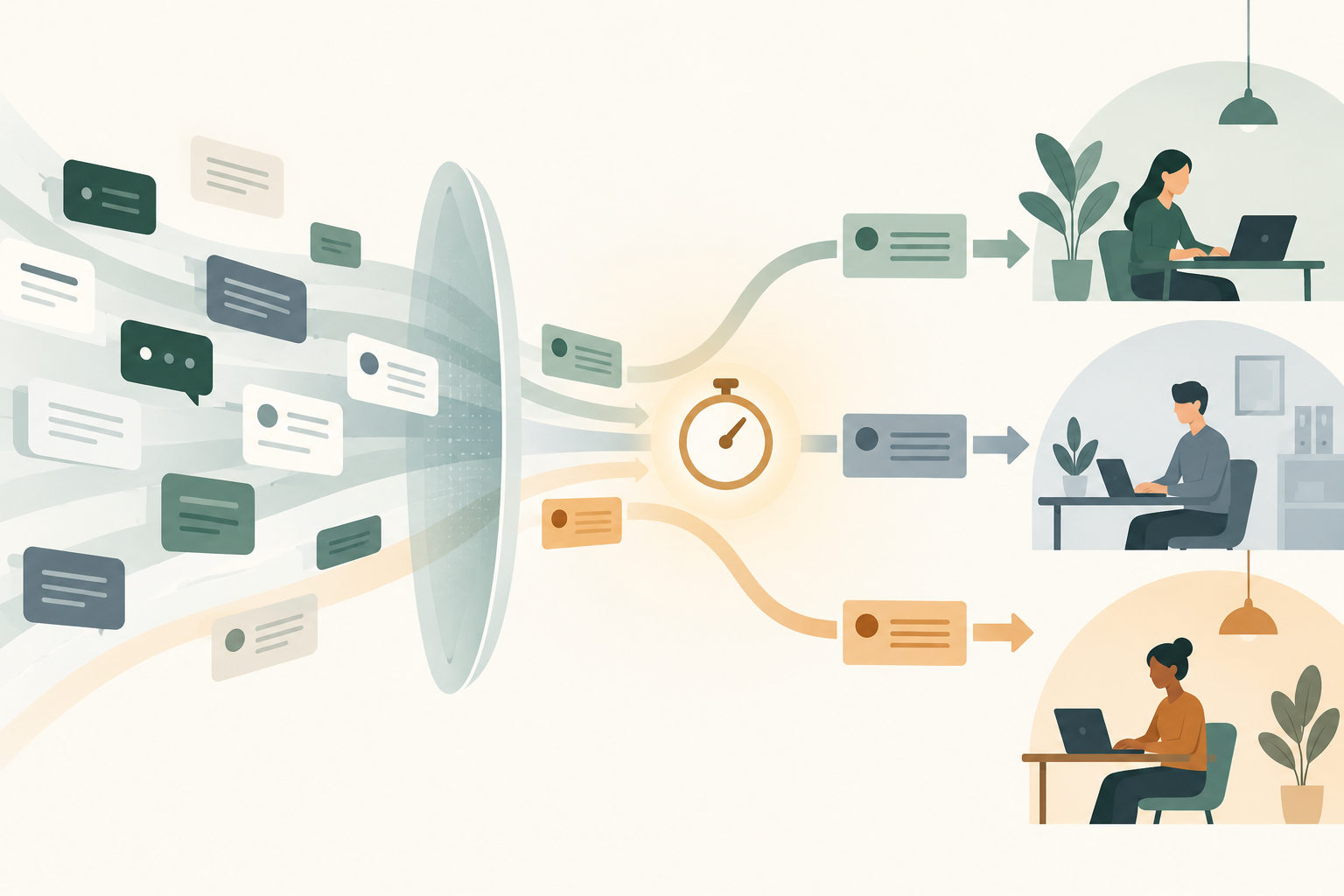
AI lead qualification means a model reads each new lead the moment it arrives, labels how well it fits your ICP and how strongly it signals buying intent, and hands those labels to routing rules that send it to the right rep with a deadline. The payoff is fewer good leads waiting overnight and fewer bad ones reaching sales.
You've seen the other version. A VP of a 900-person target account asks for a demo on Tuesday afternoon, the form drops her into a shared queue, and the round robin assigns her to a rep who's on holiday. On Thursday, sales asks paid media why the demo requests from LinkedIn have dried up, and somebody finds her lead still marked "new".
This guide covers what happens between the form and the first call: how leads from forms, LinkedIn and chat differ, a filled-in routing rules template, a copyable qualification prompt, and the timer that catches slow follow-up. The scoring model itself is the subject of our guide to AI lead scoring; this article starts where the score ends.
AI judges fit and intent, and rules decide who gets the lead
AI lead qualification works best when the model and the rules each do the job they're good at. The model reads messy inputs, such as a job title typed as "VP Demand Gen (APAC + ANZ)", a company name with no size attached, or a chat message saying "we're replacing our current tool before renewal in March", and turns them into a few clean labels. The routing rules then read those labels and assign the lead the same way every time, so a sales leader can always see why a lead landed with a particular rep.
Keep the model out of the assignment itself, because "the model decided" is a poor answer when a rep asks why a hot lead went to a colleague. Labels are also easy to audit: pull twenty leads a week, read what the model said about each, and mark it right or wrong.
Scalewell helps paid and demand gen teams build this step into the CRM and chat tools they already run, so reps start each morning on buyers who fit and asked for a conversation rather than on a queue they have to sort themselves.
Three labels cover most B2B routing:
- Fit tier. How closely the person and the company match your ICP: company size, industry, region, whether the account is on your Total Addressable List, and whether the person's role sits in the buying committee.
- Intent tier. How close the person is to a sales conversation: what they asked for (a demo, pricing, a report), what they said in a free-text answer or chat, and what your own data shows about the account. Our guide to B2B intent data covers how to score account-level signals into tiers the model can read.
- Exception flags. Cases that skip the normal path: an existing customer, a competitor, a student, a job seeker, or a vendor pitching you through your demo form.
A confidence value and a short list of missing fields belong next to the labels, because "I could not tell" is a valid answer and deserves its own route.
Each lead source gives the model different evidence
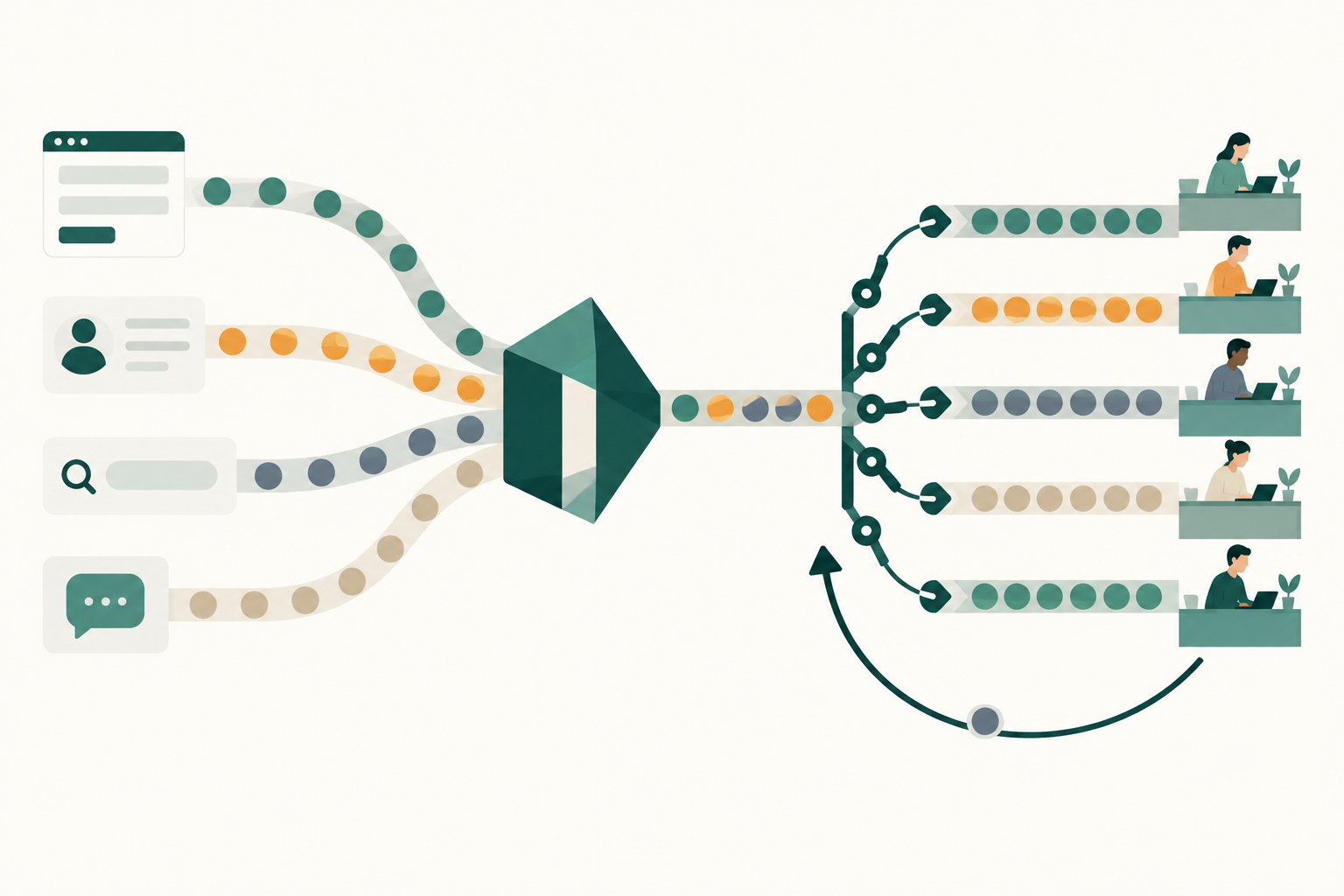
Lead quality signals arrive in different shapes depending on the source. A landing page form carries browsing history, a LinkedIn Lead Gen Form carries profile data but no page visits, and a chat carries the buyer's own words.
| Source (as of November 2026) | What the model can read | What it usually lacks | How the lead reaches the CRM |
|---|---|---|---|
| Website or landing page form | Form fields, pages visited, campaign and click ID if you capture them | Verified title and company size, unless enriched | Directly, through your form tool |
| LinkedIn Lead Gen Form | Prefilled profile fields, up to three custom questions, hidden fields | Any browsing behavior before the form | A partner integration such as HubSpot or Salesforce Sales Cloud, or a CSV download |
| Google Ads lead form asset | Form fields and any qualifying questions you add | Browsing behavior and verified company data | Webhook, Google Ads API, Zapier or CSV download |
| Chat or chatbot | The visitor's own words, answers to bot questions, pages they were on | Company data, unless the visitor is known or enriched | The chat tool's own inbox and CRM sync |
| Microsoft Advertising | Whatever your landing page form collects | A native lead form; Microsoft Advertising has none | Through your landing page form |
Sources: LinkedIn Help on Lead Gen Form fields, LinkedIn Help on CRM integrations, Google Ads Help on lead form assets, HubSpot Knowledge Base on bot actions.
Three details in that table change how you set up routing.
LinkedIn's custom questions are the best qualification input on that platform. LinkedIn's help page says you can add "up to three custom questions", that they're required to submit, and that they count toward the 12-field maximum; multiple-choice answers come back as clean values your rules can read without a model at all. LinkedIn also says hidden fields can add metadata such as campaign name or source and, with a CRM, "send them to the right place automatically", though it warns that some third-party CRM partners don't support hidden fields. Our guide to LinkedIn Lead Gen Forms covers which questions to ask.
Google lead forms have a short pickup window. Google's help page says "you can only download leads from the last 30 days", and the API exports up to 60 days, so a team that downloads CSVs by hand once a month will lose leads before anyone qualifies them. Connect the webhook so leads reach the CRM as they arrive.
Volume from native forms needs a qualification step more than any other source. LinkedIn's blog puts the average Lead Gen Form conversion rate at 13%, a figure that counts form fills, not pipeline, and comes with no sample or period. A form that easy to submit hands you more submissions, and more of them from people who were only mildly curious.
A routing rules template you can fill in
AI lead routing needs a written rule set before it needs a model, and the template below is a starting point you can copy into a doc and edit with sales. Every deadline and threshold in it is a hypothetical value; your team sets its own with the sales leader, based on rep capacity and working hours.
Rules run top to bottom and the first match wins, so exceptions go first.
| # | Condition | Route to | First-touch deadline (hypothetical) | If missed |
|---|---|---|---|---|
| 1 | Existing customer (email domain matches a customer account) | Account owner or customer success manager | 1 business day | Alert the account owner's manager |
| 2 | Exception flag: competitor, student, job seeker or vendor | No rep; tag the reason | None | Weekly review of tagged leads |
| 3 | Model confidence below 0.6, or a required field missing | Human review queue (marketing ops or the SDR lead) | 2 hours | Escalate to the SDR lead |
| 4 | Fit A and intent high (demo, pricing or "talk to sales" request) | Account owner if the account is owned; otherwise the regional AE pool, available reps only | 10 minutes in working hours | Reassign at 30 minutes and alert the sales manager |
| 5 | Fit A and intent medium or low | SDR assigned to the account or region | Same business day | Move to the SDR team queue |
| 6 | Fit B and intent high | SDR pool, round robin, available reps only | 1 hour | Reassign at 2 hours |
| 7 | Fit B and intent medium or low | Nurture program, plus a weekly SDR review list | None | None |
| 8 | Fit C and intent high | Self-serve reply with pricing or a partner referral | 1 business day | Alert the inbound owner |
| 9 | Fit C and intent low | Nurture only | None | None |
Define the tiers in writing next to the table. As a hypothetical: fit A is a company of 200 to 5,000 employees in a target industry and region, or any account on the Total Addressable List, with a contact in a buying role; fit B matches the company but not the role, or the role but sits just outside the size band; fit C is everything else that isn't an exception. High intent means the person asked for a conversation or pricing, or a chat shows a named project or deadline; medium means a qualifying answer such as "evaluating in the next six months"; low means content only.
Rule 1 is the one teams forget: a customer asking about another product line through your demo form is an expansion opportunity, and a new-business SDR who doesn't know the account will waste it.
Rule 3 keeps the model honest, and it sits above the tier rules for a reason: placed lower, an uncertain lead would match a tier first and get routed anyway, and you would only discover the errors when sales complains.
Lead routing lives in HubSpot workflows and Salesforce assignment rules
The routing rules in the template are built in the CRM, and the model's labels arrive there as ordinary properties or fields that the rules read.
In HubSpot, the assignment step is the "Rotate record to owner" workflow action. HubSpot's help article (last updated October 26, 2026) gives the path: go to Automation, then Workflows, open or create a workflow, click the plus icon to add an action, expand the CRM section in the left panel and choose "Rotate record to owner". Rotating leads or deals requires Sales Hub Professional or Enterprise. For leads, the action offers load balanced, round robin and random distribution, plus an "Assign to available users only" setting that skips users set to Away, and HubSpot strongly recommends adding a fallback user so nothing sits unassigned. Build one workflow per rule in the template, or one workflow with if/then branches in the same order.
In Salesforce, the equivalent is lead assignment rules, which an admin builds in Setup as a list of rule entries checked in order until one matches. Ask your admin to add a catch-all owner or queue at the end, so a lead that matches no entry still lands with a person.
Chat leads follow their own path. HubSpot's chatflow bots can ask qualifying questions, write the answers to contact or company properties, and hand off through a "Send to team member" action that assigns the conversation to specific users and teams or to the contact's owner, according to HubSpot's bot actions guide (updated October 23, 2026). Write the model's labels to the contact record before the handoff, and your chat leads follow the same template as your forms.
The qualification prompt your model runs on each lead
A qualification prompt for B2B leads should restrict the model to the fields it receives, force it to name what's missing, and return structured output your CRM can store. The version below works in any model your automation tool or a custom code step can call. Replace the bracketed parts with your own ICP and tier definitions.
You qualify inbound B2B leads for [company], which sells [product] to [ICP: industries, regions, company size band].

You receive one lead as JSON: form fields, source, campaign, pages visited (if any), free-text answers, chat transcript (if any), and enrichment data (if any).

Judge only from the data provided. Do not guess company size, industry or seniority from a company name or an email domain. If a field you need is missing, list it under "missing" and lower your confidence.

Fit tiers:
- A: [your fit A definition]
- B: [your fit B definition]
- C: anything else that is not an exception

Intent tiers:
- high: asked for a demo, pricing or a sales conversation, or describes a named project, deadline or tool being replaced
- medium: a qualifying answer that shows an active evaluation, or repeat visits to pricing or product pages
- low: content request only

Exception flags: existing_customer (domain in this list: [customer domains]), competitor (domain in this list: [competitor domains]), student, job_seeker, vendor_pitch.

Return only this JSON:
{
  "fit_tier": "A" | "B" | "C",
  "fit_reason": "one sentence citing the fields used",
  "intent_tier": "high" | "medium" | "low",
  "intent_reason": "one sentence citing the fields used",
  "exception": null | "existing_customer" | "competitor" | "student" | "job_seeker" | "vendor_pitch",
  "confidence": 0.0 to 1.0,
  "missing": ["field names"],
  "summary_for_rep": "two sentences a rep can read before the first call"
}
Reps notice the "summary_for_rep" field first; the reason fields show you why the model chose a tier without rerunning it.
Before you switch routing on, run the prompt over the last two months of leads whose outcome you already know, and check that fit A and high intent leads became opportunities at a clearly higher rate than fit C and low intent leads. If the tiers don't separate on your own history, rewrite the definitions before you send live leads through them.
Speed to lead is measured in minutes, and most B2B teams take hours
Speed to lead is the time between a lead's submission and the first real contact from a person at your company. Two vendor-run audits suggest most B2B teams take hours or days, and both vendors sell response tools, so read them as vendor data.
Workato filled out demo requests for 114 B2B companies and reported, in a study on its blog dated March 19, 2026, that only one sent a personalized email within five minutes, and that personalized emails took 11 hours and 54 minutes on average. Companies using a routing tool averaged 3 hours and 32 minutes, against nearly 13 hours for those without one.
RevenueHero's own report on 1,000 B2B companies, which gives no test date, says "63.5% of the companies did not even respond to demo requests" and that responses took 1 day, 5 hours and 17 minutes on average.
Why does a few hours matter in a sales cycle measured in months? Because the form fill comes late in the buyer's process. 6sense's 2025 B2B Buyer Experience Study surveyed just under 4,000 buyers, and as summarized by CustomerThink in November 2025, the average first contact with sellers came when buyers were 61% of the way through their buying process, and 79% said they initiated that contact themselves. A demo request is the buyer telling you they've already done most of the research, and they're probably sending the same request to your competitors.
A timer catches slow follow-up before sales notices
The timer is the part that would have saved the VP in the opening example. The routing step assigns the lead; the timer checks, at the deadline in your template, whether a person has actually made contact.
Build it as a second automation that starts when a lead is assigned. In HubSpot, that's a workflow with a delay step set to the deadline, followed by an if/then branch that checks the record's last activity date for a call, email or meeting logged since assignment. If nothing has, the workflow reassigns the lead to the next available rep and sends an internal notification to the sales manager. In Salesforce, the same logic can be built as a scheduled flow. An automated "thanks, we'll be in touch" email doesn't count as contact; measure from submission to the first human touch.
Working hours need their own rule: a demo request at 11pm on a Friday shouldn't trigger a reassignment at 11:10pm, so the timer counts business hours only. Chat helps here, since a bot can book the meeting into the right rep's calendar out of hours.
Where AI lead qualification goes wrong
The most common failure is routing bad leads faster: a student's ebook download reaches an AE in ten minutes if the qualification step lets it through, so test exception flags before you test speed.
The second failure is a model that fills gaps with guesses, such as a confident headcount for a company it only knows by name. The prompt's "judge only from the data provided" line and the "missing" list exist for this, and the weekly sample shows whether the model obeys them.
The third is a round robin that ignores who's working, which is why the "available users only" setting and a fallback owner matter more than the distribution method.
The fourth is routing on stale account data. If the account owner field in the CRM still names a rep who left in June, rule 4 will faithfully route your best leads to nobody. Clean account ownership before launch, then check it monthly.
And the last is treating qualification as a sales-only project. When fit and intent tiers become CRM stages, they can travel back to Google, LinkedIn, Meta and Microsoft as conversions, so bidding learns which campaigns produce qualified leads. Our guide to offline conversion tracking covers that loop.
AI lead routing has worked when good leads get a call the same day
You can tell AI lead qualification and routing are working when three numbers move together over a full sales cycle. First, the median time to first human touch for fit A, high intent leads falls to within your deadline. Second, sales accepts a clearly higher share of the leads routed to AEs than before, because fewer poor-fit leads reach them. Third, cost per opportunity by source holds or falls while lead volume does whatever it does.
Record time to first touch and the sales-accepted rate by source for the quarter before launch, then compare one quarter later. If time to first touch improved but the sales-accepted rate didn't, the routing works and the qualification doesn't, and the tier definitions are the place to look. If you want to improve lead quality at the source as well, our guide to AI B2B lead generation covers the form and targeting choices that decide which leads arrive in the first place.
Where to start
Write the routing rules template with your sales leader this week, then run the qualification prompt over last quarter's leads and check whether the tiers separate the ones that became opportunities. Scalewell partners with demand gen and paid teams to build that kind of qualification and routing job into the tools they use, and to train the team to adjust it themselves.
Frequently asked questions
What is the difference between lead scoring and lead qualification?
Lead scoring estimates how likely a lead is to become an opportunity, usually as a number. Lead qualification is the decision made with that estimate and other inputs: whether the lead goes to sales, to an SDR, to nurture or nowhere.
Is BANT still useful for qualifying B2B leads with AI?
BANT (budget, authority, need, timeline) still works as a checklist for the first sales conversation, but most inbound forms and chats don't capture budget, so a model asked to judge BANT will guess. Use fit and intent tiers for routing, and let the rep confirm budget and authority on the call.
Can an AI chatbot qualify B2B leads without a person?
An AI chatbot can collect answers, apply your tier definitions and book a meeting with the right rep, which covers most out-of-hours inbound. It shouldn't be the last check on high-value accounts. Route fit A conversations to a person as soon as one is available, and review a sample of bot-qualified leads each week.
How do you handle leads that arrive outside business hours?
Let the model qualify the lead immediately, send an honest confirmation saying when a person will reply, and start the first-touch deadline at the next business morning in the rep's time zone. For high-intent leads, offer a calendar link in the confirmation so the buyer can book a slot without waiting for a reply.