AI B2B lead generation through paid channels: forms, targeting and lead quality
The ad platforms' AI now buys whatever you call a lead, so B2B lead generation through paid channels comes down to the form, the qualifying questions and the quality signal you send back.

AI B2B lead generation through paid channels means letting the ad platforms' AI find and convert buyers on Google, LinkedIn, Meta and Microsoft while your team controls three things: the form, the questions that qualify a lead, and the signal sent back about which leads became pipeline. The platforms buy whatever you call a lead.
Search the phrase and you'll mostly find outbound software: list builders, enrichment tools and AI SDRs that write cold emails. The paid budget is a lead source too, and those guides barely mention it. You've probably sat through the quarterly review that shows lead volume up and cost per lead down since the team accepted every automated setting the platforms offered, and the sales leader's reply is the familiar one: half of these never answered the phone.
This guide is for the CMO or head of demand gen who owns that number. It covers the controls that still sit with you on each platform as of November 2026, a hypothetical comparison of lead forms against landing pages on cost per opportunity, and where outbound AI fits. How to split creation from capture is the job of our guide to AI demand generation.
Platform AI now runs most of paid lead generation, and four controls stay with you
Paid lead generation is a chain of four decisions: who sees the ad, what they see, where they convert, and what counts as a good lead. As of November 2026, the ad platforms' AI makes the first two by default on every major platform, and the last two are where your team decides whether the budget buys pipeline or form fills.
| Control | What platform AI does by default (November 2026) | What your team still decides |
|---|---|---|
| Who sees the ad | LinkedIn Audience Expansion is on wherever it's available; Meta's Advantage+ leads setup turns on Advantage+ audience; Google recommends broad match with Smart Bidding | Exclusions, the account list, and whether expansion stays on |
| What they see | LinkedIn AI ad variants and Draft with AI; Google assembles responsive search and Performance Max ads from the assets you supply | The claim, the offer and the proof behind it |
| Where they convert | LinkedIn, Google and Meta each offer a native form inside the ad | Native form or landing page, and how much friction the form carries |
| What counts as a good lead | Nothing, until you send it | The qualifying questions and the qualified stage you send back |
The last row decides the rest. A bidding system optimizing toward form submissions finds the people most willing to submit forms, and in B2B those are often students, job seekers and competitors' researchers. Teams that send the qualified stage back spend their budget reviews deciding which forms and audiences produced opportunities, and Scalewell works with paid and demand gen teams to put AI on exactly those jobs, from planning the form tests to running the weekly quality check.
Native lead forms raise volume, and qualifying questions buy some of the quality back
Every major B2B ad platform except Microsoft now offers a native lead form that fills in contact details for the buyer, and each one has a setting that trades some volume for intent.
LinkedIn makes the strongest volume claim. Its August 2025 guide to Lead Gen Forms puts the average Lead Gen Form conversion rate at 13%, against an Unbounce figure of 4.02% for landing pages, a comparison whose gaps our landing page guide explains. It measures form completion, though, and the same guide adds that "the addition of even one free-response custom question can yield a 3-4% drop in submission rate."
| Platform (as of November 2026) | Native form | The quality setting | Where you find it |
|---|---|---|---|
| Lead Gen Forms, pre-filled from the member's profile, up to 12 fields | Up to three custom questions, which members must answer; up to 20 hidden fields for campaign and ad IDs | Campaign Manager, Content & Assets menu, Lead generation forms | |
| Google Ads | Lead form assets on Search and Performance Max campaigns with a Leads goal | Form type "More qualified" instead of the default "More volume"; qualifying questions that tag matching answers as qualified leads | Search: Ads section, + Lead forms. Performance Max: Assets, More asset types, Lead forms |
| Meta | Instant Forms in lead ads | "Higher intent" form type, which adds a review and confirm step; custom questions with conditional logic | The form type choice when you create the form from the ad's destination section in Ads Manager |
| Microsoft Advertising | None: its list of ad extension types (updated September 2026) has no lead form | Send traffic to a landing page and use LinkedIn profile targeting | Not applicable |
Sources: Microsoft Advertising's ad extension types, LinkedIn Help on form fields and hidden fields, Google Ads Help on creating lead forms and using them in campaigns, Meta's lead ads developer guide.
Google's description of its two form types is refreshingly blunt. "More volume" uses "a lead form design with fewer steps to submit," and "More qualified" uses "a lead form design that contains more steps," which Google says brings fewer leads with more interest. You can switch between them at any time during a campaign. Meta's equivalent, set through the developer field is_optimized_for_quality, "adds a step to the form submission flow where a person reviews and confirms their answers." Jon Loomer, in his guide to Instant Forms, puts the practical point well: "the custom questions may be your best tool for managing lead quality."
On Microsoft, none of the 15 ad extension types on its help page collects a lead, and the API's list of extension objects has no lead form either, so plan Microsoft traffic for a landing page.
We found no independent evidence that native form leads become opportunities at a lower rate than landing page leads. The agency pages that rank for the question quote SQL rates that disagree with each other and carry no sample, so you have to measure it in your own CRM.
Judge a lead form against a landing page on cost per opportunity
The right comparison between a native lead form and a landing page is cost per opportunity in your CRM, because a form that halves cost per lead can still cost more per opportunity if fewer of its leads are real. The arithmetic is simple, and it is worth running before you choose.
As a hypothetical, imagine a company spending $30,000 in a quarter on one LinkedIn offer, split evenly across three arms: a Lead Gen Form with contact fields only, the same form with two multiple-choice qualifying questions (company size and timeline), and a landing page with its own form.
| Hypothetical arm ($10,000 each) | Cost per lead | Leads | Lead to opportunity rate | Opportunities | Cost per opportunity |
|---|---|---|---|---|---|
| Lead Gen Form, contact fields only | $80 | 125 | 6.4% | 8 | $1,250 |
| Lead Gen Form plus two qualifying questions | $100 | 100 | 11% | 11 | $909 |
| Landing page form | $200 | 50 | 16% | 8 | $1,250 |
The cheapest lead and the most qualified lead tie in this example, and the middle option wins. A test of only the two extremes would have shown a tie and settled nothing.
The table also shows the uncomfortable part. Eight against eleven opportunities is a gap of three deals, too small to separate the arms in a single quarter, so pool the test across campaigns or run it for two quarters before you call a winner.
The offer changes the answer too. For a demo request rather than a report, a landing page often earns its higher cost, because it has room to explain what the buyer is signing up for. Our guide to B2B landing pages for paid traffic covers how to build and test that page by funnel stage.
AI-written ad variants help when the claim comes from you
The ad platforms' AI can now write and rotate ad variants for lead generation, and the useful division of labor is that AI produces the variations while your team decides the claim and the offer they all carry. In B2B, the offer moves cost per opportunity far more than the wording around it.
LinkedIn's December 8, 2025 announcement describes AI ad variants as "generating fresh, on-brand creative from a single seed input" and says advertisers running five ads see "20%+ higher CTR" than those running one. That's LinkedIn's own figure with no method published, and it measures clicks, which a weak offer can collect without producing a single opportunity.
So write the claim, the proof and the offer yourself, let the platform or your own AI client draft five ways of saying it, and judge the variants on qualified leads. The guide to AI creative testing sets out a test structure that stops the platform declaring a winner on clicks.
Platform AI targeting widens your audience, so qualification has to happen at the form
Platform AI targeting in 2026 treats most of your audience settings as a starting point and expands from there, so qualification has to happen in the form and in the signal you send back.
LinkedIn's help center says "Audience expansion is automatically enabled on ad sets where it's available," and you turn it off in Campaign Manager under Advertise, in the Audience section of the ad set, by clearing "Enable Audience Expansion." LinkedIn's Accelerate campaigns stopped being a standalone campaign type in August 2026, according to trade coverage of the change, and their automation now sits inside the standard campaign build. Meta's Advantage+ leads page says the setup is on by default for the leads objective and turns on "Advantage+ audience, placements and campaign budget." Google's lead generation best practices recommend broad match with Smart Bidding on Search.
Microsoft's LinkedIn profile targeting lets Search, Audience and Performance Max campaigns use LinkedIn company, industry and job function data (Performance Max is still rolling out to some accounts), and the API reference also lists job seniority and job title. But the help page is explicit that the targeting "will not narrow your ads' audience," because it works as "bid only." A target company list there raises your bids on those people and keeps nobody else out.
Audience expansion finds more people like the ones who converted before. If that was anyone who filled in a form, you get more of them. Our guide to AI audience segmentation covers how to build seeds and exclusions from accounts that produced pipeline, which is the targeting half of this fix.
Send lead quality back to the platforms, or their AI keeps buying cheap leads
Every major ad platform now accepts a signal that a lead became qualified, and sending it is the single change that makes platform AI work toward pipeline instead of form volume. Whatever you don't send, the bidding can't see.
As of November 2026, LinkedIn's qualified leads optimization goal uses qualified lead data from the Conversions API and has a two-week learning phase that LinkedIn says you shorten by sending five or more qualified leads in that time. Meta's conversion leads goal takes CRM stages through its Conversions API, and Meta reports that ads using it saw "an average 15% lower cost per quality lead and a 44% increase in rate of converting a lead to a quality lead" compared with the standard leads goal; that's Meta's claim, and the page doesn't show the method.
Google advises against optimizing toward goals from more than one stage of the lead journey, asks for at least 15 conversions in the last 30 days for the action you choose, and suggests upgrading offline conversion imports to enhanced conversions for leads. Microsoft's offline conversion import accepts conversions matched on the Microsoft click ID or a hashed email, provided the conversion happened within the last 90 days.
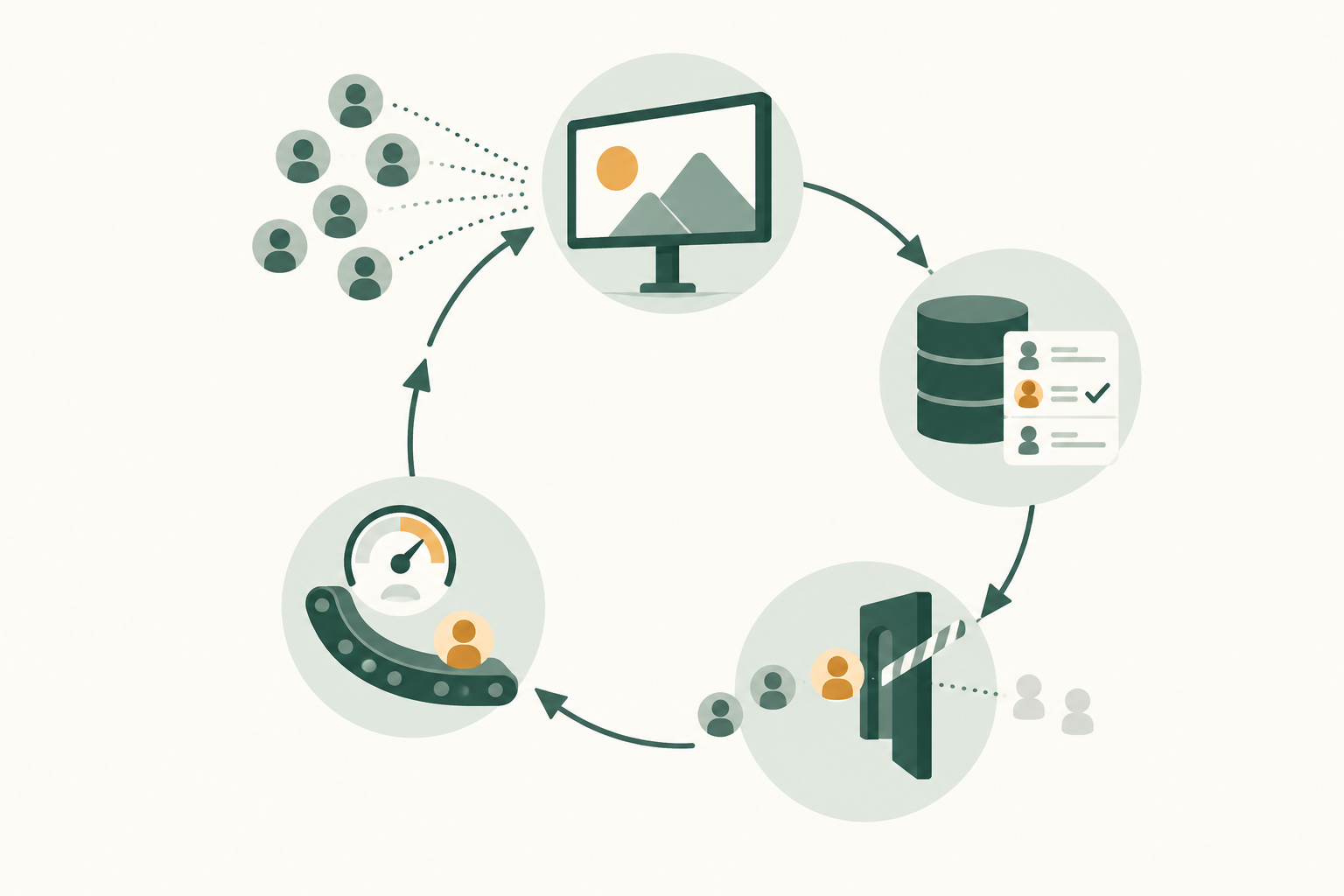
The field names, match keys and timing rules for each platform are in our guide to AI lead scoring for demand gen. The point for a marketing leader is simpler: if your qualified stage doesn't reach the platforms, your forms and targeting are optimized against the wrong number.
B2B lead generation AI for outbound sits beside paid and does a different job
B2B lead generation AI tools built for outbound, such as AI SDRs, list builders and enrichment services, work on named people who haven't asked to hear from you, while paid lead generation works on people who raised a hand. Both can feed the same pipeline, but they fail in different ways.
Outbound's limit is the buyer's patience. In a survey of 632 B2B buyers, Gartner reported in a June 2025 press release that "61% of B2B buyers prefer an overall rep-free buying experience" and that "73% of B2B buyers actively avoid suppliers who send irrelevant outreach." An AI that sends ten times more emails sends ten times more irrelevant ones unless the targeting is excellent.
Where outbound AI does help a paid program is at the handoff. Three jobs are worth giving it:
- Enrich each paid lead as it arrives, adding company size, industry and role, so a short native form can stay short.
- Route and follow up the same day, so the first call reaches the buyer while the ad is still fresh in their mind.
- Give sales a short brief on the accounts that paid campaigns warmed up, so outreach goes to people who have already seen your argument.
Keep the evaluation separate: judge outbound on opportunities per contact reached and paid on cost per opportunity.
Where AI paid lead generation goes wrong
AI paid lead generation usually fails because the platforms were told to optimize for a form fill and did exactly that. These are the versions we'd check for first.
- Bidding on raw form submissions. It rewards whoever fills in forms most readily. Move to the qualified stage as soon as it clears the platform's volume floor.
- Free-text questions on native forms. LinkedIn's own figure is a 3% to 4% submission drop per free-response question, and free text is harder for AI to score than a multiple-choice answer. Use multiple choice for anything that qualifies.
- A qualified definition sales never agreed. If marketing calls a lead qualified and sales doesn't work it, the platforms learn from a label that means nothing. Agree the definition in writing before you send it.
- Spam and invalid leads counted as wins. Google's guidance suggests extra lead verification, such as reCAPTCHA, double opt-in or server-side validation, and a lead that never had a real email shouldn't count as a conversion anywhere.
- Platform lead counts reported as results. Leads are an input, and the number for the budget review comes from the CRM.
How Scalewell gets paid lead generation judged on opportunities
Scalewell helps B2B paid teams reach the point where every form, audience and ad variant is judged on opportunities. A free 30-minute call comes first. Then an audit ranks the team's recurring lead generation jobs, such as reviewing lead quality, by which one AI should take on first, and that order becomes the roadmap.
A build sprint puts the top jobs into the tools the team already uses, typically 8 to 12 weeks in all. B2B paid media practitioners do the work, judging each job on time saved and pipeline. AI ends up doing real jobs each week, the next ones wait on the roadmap, and the team leaves trained to use and adjust the work on its own.
Measure paid lead generation on cost per qualified lead and per opportunity
Paid lead generation with AI has worked when cost per opportunity by channel and by form type falls over a full sales cycle, whatever cost per lead does. Cost per lead may rise once you ask for quality, as Google's help notes for its more qualified form type, so it can't be the target. These are the measures we'd put in one weekly view:
| Measure | Source | What it tells you |
|---|---|---|
| Cost per lead | Ad platform | Diagnostic only: whether delivery or the form broke |
| Qualified rate | CRM | Share of leads that reach the agreed qualified stage |
| Cost per qualified lead | CRM and spend | What the bidding should be steering |
| Lead to opportunity rate | CRM | Whether qualified leads are real |
| Cost per opportunity | CRM and spend | The number for the budget review |
| Time to first sales touch | CRM | Whether fast follow-up is rescuing or wasting form leads |
Read the first two weekly and the opportunity measures monthly, because B2B opportunities arrive weeks after the lead. When cost per qualified lead falls in the first month and cost per opportunity follows by the end of the first sales cycle, the setup is doing its job. If cost per qualified lead falls and cost per opportunity doesn't, the qualified definition is too loose, and that's a conversation with sales rather than a change in the ad account.
Your first step this quarter
Pick your highest-spend lead generation campaign, add two multiple-choice qualifying questions to a copy of its form, and compare cost per opportunity against the original over a full sales cycle. Scalewell can help your team turn that comparison into a weekly job AI runs, so the budget follows opportunities rather than form fills.
Frequently asked questions
Are LinkedIn Lead Gen Form leads lower quality than landing page leads?
No independent study settles it, so the answer has to come from your own CRM. Pre-filled profile data makes submitting easy, which is LinkedIn's point and also how casual submitters get in. Run both routes for the same offer, add multiple-choice qualifying questions to the form, and compare cost per opportunity once the leads have had a full sales cycle to progress.
Does Microsoft Advertising have lead forms like Google and LinkedIn?
Not as of November 2026: none of Microsoft Advertising's ad extension types is a lead form, and a Microsoft support answer from 2024 said the same. On Microsoft, run Search ads to a landing page with a short form, add the Microsoft click ID to a hidden field so the lead can be matched later, and import qualified leads as offline conversions within 90 days.
Is Meta worth using for B2B lead generation?
Meta can produce B2B leads, and on Meta the form and the CRM signal do most of the qualifying. It works best when you use the Higher intent form type, ask qualifying questions with conditional logic, and optimize toward conversion leads from your CRM. Without those, judge it on a small budget first.
Can an AI SDR replace paid lead generation?
No, because they reach different buyers. An AI SDR contacts named people who haven't shown interest, and paid lead generation captures people who responded to an ad. The better question is what each should own: let paid capture the buyers who raise a hand, and give outbound the named accounts on your target list that paid hasn't reached.
How many qualifying questions should a B2B lead form have?
Two or three multiple-choice questions is a sensible starting point, usually company size, role or timeline. LinkedIn allows up to three custom questions and recommends three or four fields in total, and Google lets you mark specific multiple-choice answers as qualified. Avoid free-text questions, which cost submissions and are harder to score.