LinkedIn Lead Gen Forms with AI: set them up, qualify every fill and route it to pipeline
A field-by-field setup checklist for LinkedIn Lead Gen Forms, plus the CRM sync, AI qualification prompt and routing rules that turn form fills into opportunities.
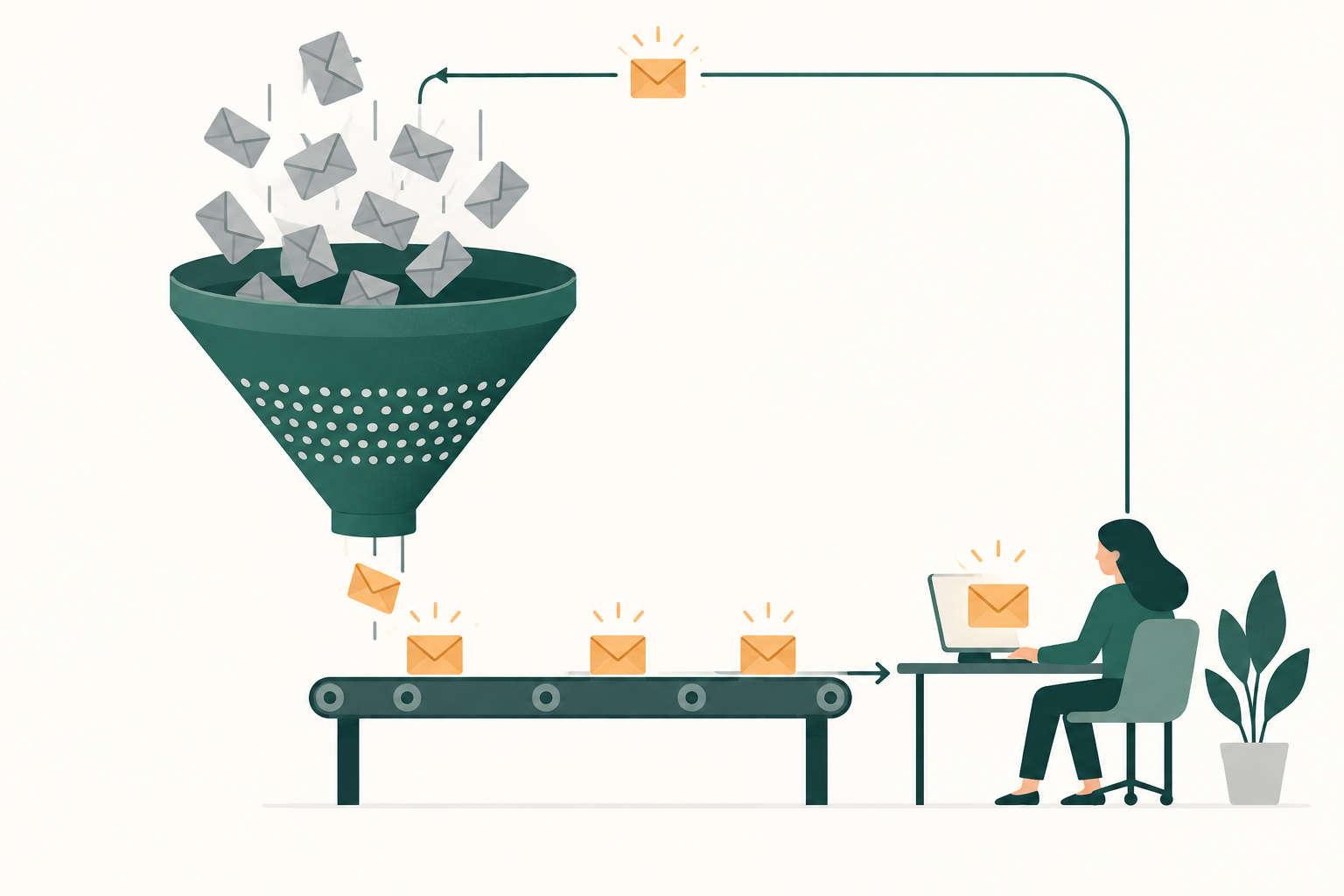
LinkedIn Lead Gen Forms are pre-filled forms that open inside a LinkedIn ad, so a member can send you their details without typing them. To get pipeline from them, make every fill carry its ad and a qualifying answer, sync it to your CRM fast, let AI score and route it, and send the qualified leads back to LinkedIn.
Picture a hypothetical Monday. The CSV from Campaign Manager shows 140 leads from last week's document ad, cost per lead looks lovely, and the sales channel already has a message asking why half the list is students, consultants and one competitor's product manager. Nobody can say which ad brought which lead, because the form went live without hidden fields, and the custom question everyone answered "Yes, this quarter" turns out to have had that answer pre-selected.
This guide is for the head of paid media or demand gen who runs LinkedIn for a B2B company and wants form fills judged on pipeline. It gives you a form setup checklist checked against LinkedIn's help center in November 2026, the CRM sync options, an AI qualification prompt you can copy, a routing table and the measures that tell you it works. Whether to use a form or a landing page at all is covered in our guide to B2B landing pages, so this one starts after you've chosen the form.
Build the form in Campaign Manager before you build the ad
You create a Lead Gen Form in Campaign Manager under Content & Assets, then Lead generation forms, then Create form, according to LinkedIn's setup page. You can also build one inside the ad set flow, but a form made on the assets page can be reused across ad sets, which keeps your reporting tidy. Scalewell helps demand gen and paid teams set up this whole flow inside the CRM and tools they already run, so every LinkedIn form fill reaches the right person already scored and nobody spends Monday morning sorting an export.
Get the form right before launch, because LinkedIn locks most of it once it runs. LinkedIn's editing page says that when a form is attached to a Sponsored Content ad in an active ad set, you can still change the headline, details, privacy text, confirmation message, landing page URL, thank-you call to action and work email validation. Fields, custom questions and hidden fields aren't on that list, and an edited form goes back through ad review, during which the ads "may stop serving". Form language can't be changed once the form is saved at all.
Here is the checklist, section by section, as the form builder lays it out.
| Section | Setting | What to choose | Why it matters for pipeline |
|---|---|---|---|
| Form details | Form name | A convention such as offer, audience, version: "Benchmark report, VP finance, v2" | AI and humans can read the CRM source field without a lookup table |
| Form details | Language | The ad set's language; English forms work with ad sets in any language except simplified Chinese | It can't be edited after saving |
| Form details | Headline and details | The offer and what happens next, in the words of the ad | LinkedIn's best practices page says the message "should clearly relate to the form" |
| Lead details | Profile fields | First name, last name, work email, job title and company name, plus company size only if routing uses it | LinkedIn advises three to four fields, so keep only the ones routing reads |
| Lead details | Validate work email | On for sales offers, off for top-of-funnel content | Blocks common free email domains, at some cost to submission rate |
| Lead details | Custom questions | Up to three, multiple choice, up to 100 characters each | They are required to submit, so each one must earn its place |
| Data privacy | Privacy policy URL | Your privacy page, starting with https:// | Required for form approval |
| Data privacy | Disclosure checkboxes | Only the consents you actually use, up to five | They don't count toward the 12-field limit |
| Confirmation | Thank-you message | Up to 300 characters, saying who will contact them and when | LinkedIn tells you to follow up "when you say you will" |
| Confirmation | Landing page or booking link | A Calendly or Chili Piper link for demo offers, the ungated asset for content offers | LinkedIn won't deliver your asset for you |
| Settings | Hidden fields | ACCOUNT_ID, CAMPAIGN_ID, AD_SET_ID and AD_ID, plus a static source value | How the ad's IDs travel with the lead into the CRM |
| Settings | Field names | Rename fields to match your CRM properties exactly | Mismatched names are the usual sync failure |
The limits come from LinkedIn's fields page, specifications page, hidden fields page and appointment booking page. A form allows up to 12 informational fields, and custom questions count toward the 12. Hidden fields allow up to 20 per form, with dynamic values for the account, campaign, ad set and ad, both ID and name. Take the IDs: names get edited, and an ID still matches the ad six months later when the opportunity finally closes.
Once the form is saved, you select it when you set up ads in a lead generation ad set, and LinkedIn notes you might need to set the form status to Active before it can be reviewed.
Write custom questions an AI can score
The best LinkedIn Lead Gen Forms practice for qualification is to ask two multiple-choice questions whose answers change what sales does next, and to take everything else from the profile. LinkedIn pre-fills contact and professional details from the member's profile, so job title, company and company size cost the member nothing. A custom question costs them a decision, and LinkedIn's August 2025 blog post on Lead Gen Forms says "the addition of even one free-response custom question can yield a 3-4% drop in submission rate."
That post also says LinkedIn's "data shows that the average LinkedIn Lead Gen Form conversion rate is 13%," against a 4.02% landing page average from an Unbounce study. Treat it as a measure of how easily people submit: it counts form fills, not pipeline, and LinkedIn gives no sample or period. A form that's three times easier to fill is also three times easier to fill casually, which is exactly why the questions matter.
There's one trap in LinkedIn's own help text that most guides skip. On multiple-choice custom questions, the fields page notes that "the first answer will be pre-selected by default." A member in a hurry submits whatever sits first. So put the least qualifying answer first, every time, and an untouched default can only ever under-qualify a lead.
A hypothetical question set for a B2B software offer, written that way:
| Question | Answers, in this order | What the answer drives |
|---|---|---|
| When are you looking to make a change? | Just researching / Within 12 months / Within 6 months / This quarter | Timing tier and SLA |
| What's your role in choosing a tool like this? | Interested in the topic / I'd use it / I recommend / I sign off | Buying committee position |
| How do you handle this today? (optional third) | Not at all / Spreadsheets / An in-house tool / A competing product | Sales talk track, competitor flag |
Keep free text out of anything that qualifies. A free-text answer costs submissions, and it's harder for AI to score the same way twice than a fixed list is. If sales insists on a phone number, ask yourself whether they'll call it inside an hour; if not, leave it off.
Sync LinkedIn leads to the CRM, not to a CSV
A LinkedIn Lead Gen Form should feed your CRM through an integration, because the CSV route adds delay and LinkedIn doesn't keep the data forever. LinkedIn's integration page points you to native integrations and the LinkedIn Marketing Partner Directory, with a CSV download from Campaign Manager as the fallback when your platform isn't supported. On retention, LinkedIn's leads download page says collected member profile data "can only be stored for one year" under its member privacy policy, while analytics stay in Campaign Manager beyond that. So a lead that never left Campaign Manager eventually disappears, even though its ad set still shows the lead count.
As of November 2026 the routes look like this:
| Route | How it works | What to check |
|---|---|---|
| Native CRM integration | HubSpot: Settings, then Marketing, then Ads, then the Lead syncing tab, then Connect (HubSpot's article, updated October 7, 2026) | HubSpot says new leads can take "up to two hours" to sync and the Email field must be included and required |
| Partner tool from LinkedIn's directory | A connector service maps form fields to CRM fields | LinkedIn notes some partners "don't support member profile link fields, hidden fields, or custom checkboxes" |
| LinkedIn's Lead Sync API | Your developer or connector pulls form responses directly | Needs a build and someone to maintain it |
| CSV download | Content & Assets, then Lead generation forms, select the form, Download leads | Fine for a test, too slow for routing |
Two warnings from LinkedIn's help pages save a lot of debugging. Custom questions "are supported by all marketing automation or CRM partners except Microsoft," so a Dynamics shop should check where those answers land. And if you edit a form while it's in draft, LinkedIn says you "must make changes to account, form, and field settings" in the CRM for test leads to sync again.
Test before launch. In Content & Assets, then Lead generation forms, click the More icon next to the form and choose Send Test Lead; a test lead sent from the ad preview on the Ads tab also carries the ad and ad set IDs, according to LinkedIn's test lead page. Then open the CRM record and check that every hidden field and custom answer landed in its own property.
Store one more value on the CRM record: the lead's form response ID. LinkedIn's Conversions API schema accepts a lead field in the format urn:li:leadGenFormResponse:id, which "advertisers can download" from Campaign Manager or the Lead Sync API. Keeping it lets you tell LinkedIn later which exact form fill became qualified, rather than relying on an email match.
AI qualifies each form fill on fit, intent and account
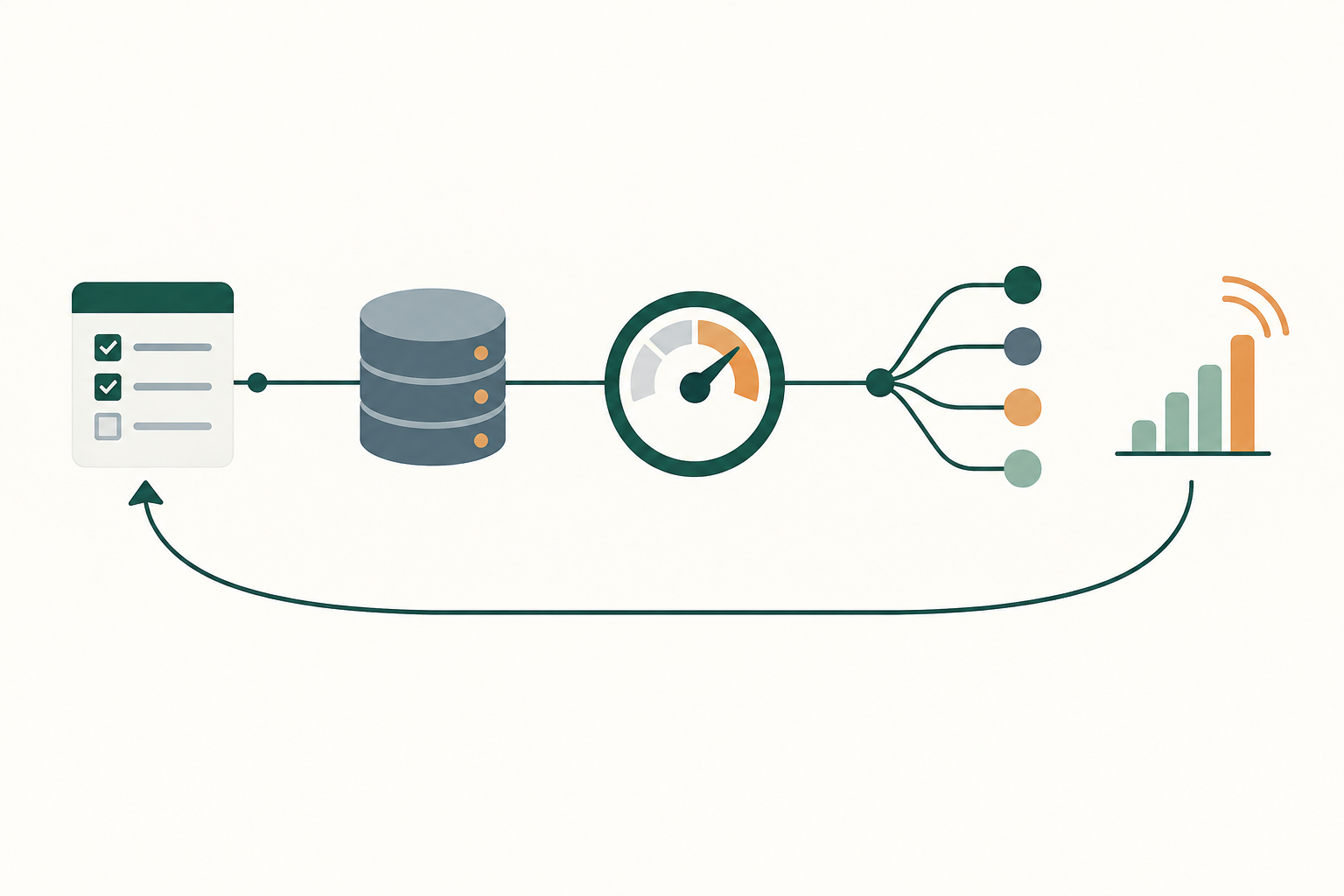
AI qualification of a LinkedIn form fill means a language model reads the profile fields, the custom answers and what your CRM already knows about the company, then gives the lead a tier and a reason within minutes of the sync. A points table can do part of this, but it struggles with job titles: "Head of FP&A", "Finance Systems Lead" and "VP, Financial Planning" mean similar things to a buyer and nothing alike to a lookup rule.
Speed is the reason to automate it. In a Harvard Business Review study of 1.25 million sales leads at 42 US companies, firms that tried to contact a lead within an hour were "nearly seven times as likely to qualify the lead" as those that tried even an hour later. The study is from 2011 and covers online leads at mostly consumer companies (29 of the 42 were B2C), but it explains why a two-hour sync followed by a weekly manual review gives up much of what the form bought.
The qualification step can run wherever your team already automates: a CRM workflow with an AI step, a workflow tool that calls a language model, or a short script. Give it this prompt, filled in once and reused for every lead:
You qualify inbound B2B leads from LinkedIn Lead Gen Forms.

ICP: [industries], [company size range], [regions].
Buying committee roles: [e.g. CFO, VP Finance, Head of FP&A, Finance Systems].
Excluded: students, job seekers, agencies, consultants, our competitors [list].
Target account list: [attach or reference CRM field].

Lead record:
- Job title, company, company size, country: [from form]
- Custom answers: timing = [ ], role = [ ], current tool = [ ]
- Hidden fields: campaign ID, ad set ID, ad ID, form name
- CRM history for this company: open opportunities, owner, past customers

Note: the first answer on each custom question is pre-selected by LinkedIn,
and the least qualifying answer is listed first. Never upgrade a lead on a first answer.

Return JSON:
{ "tier": "A" | "B" | "C" | "Disqualify",
  "fit_reason": one sentence,
  "intent_reason": one sentence,
  "account_status": "target" | "existing customer" | "open opportunity" | "new",
  "route_to": "AE owner" | "SDR" | "Nurture" | "None",
  "flags": [e.g. "competitor domain", "personal email", "title unclear"] }

If the title is ambiguous, say so in flags and choose the lower tier.
Do not invent company facts that are not in the record.
The rules that keep this honest are short. A person reviews every Disqualify for the first two weeks, because a wrong disqualification is a lost buyer while a wrong tier B is only a slower call. The model never changes the CRM owner on an account that already has an open opportunity; it flags it instead. And the tier definitions come from sales, agreed in writing, not from whatever the prompt author thought sounded sensible.
For one scoring and routing set-up across forms, chat and website leads, see our guide to AI lead qualification, and for a model that learns weights from closed deals, our guide to AI lead scoring.
Route each tier to an owner with a deadline
Routing turns the tier into a named person and a time limit, and the thank-you screen should promise the same thing the routing delivers. The same CRM workflow that runs the AI step can assign the owner from the model's route_to answer. Here is a hypothetical routing table a team might agree with sales:
| Tier | Typical profile | Owner | Follow-up deadline | Thank-you screen promise |
|---|---|---|---|---|
| A | Buying committee role at an ICP or target account, timing within 6 months | Account owner, or an AE if unowned | Same working hour | "Pick a time below" with the booking link |
| B | ICP company, influencer role or longer timing | SDR | Same working day | "We'll email you within a day" |
| C | Fits partly, just researching | Nurture sequence | Next nurture send | The ungated asset |
| Disqualify | Student, agency, competitor, outside ICP | None, kept for reporting | None | The ungated asset |
One wrinkle: a form has one confirmation screen for everyone who fills it, so the booking link appears for tier C leads too. That's why the booking link belongs on demo and pricing offers, and the asset link belongs on content offers. If you run both kinds of offer, build two forms.
Existing customers deserve their own route. A form fill from a company that's already a customer usually belongs to the account manager, not an SDR, and the AI step can catch that from the CRM history in the prompt above.
Send qualified leads back so LinkedIn optimizes beyond the fill
LinkedIn optimizes lead generation ad sets for form fills unless you tell it which fills were qualified. Its lead generation objective page says that with a Conversions API integration set up, a lead generation ad set "automatically selects qualified leads as the recommended optimization goal," using qualified lead data from the Conversions API or "by manually uploading information." With that goal, maximum delivery is the only bidding strategy, and Campaign Manager adds qualified leads and cost per qualified lead to reporting.
You create the conversion rule in Campaign Manager under Measure, then Conversion tracking, then Create conversion, where you choose Conversions API or CSV conversion, according to LinkedIn's Conversions API setup page. For the qualified leads goal, LinkedIn's developer use cases page says the rule must use the QUALIFIED_LEAD type, the data must reach LinkedIn within 30 days, and five or more qualified leads within two weeks shortens the learning phase.
Send tier A and B leads that sales accepts, not every tier the model assigns, so LinkedIn learns from the judgment of people who spoke to them. The click IDs, hashing, timing windows and other platforms are covered in our guide to offline conversion tracking. For LinkedIn forms specifically, the form response ID you stored earlier is the cleanest match key you have.
Judge each form on opportunities, and check the AI's tiers
A LinkedIn Lead Gen Form is working when its cost per opportunity in the CRM falls, measured over at least one sales qualification cycle, and the tiers the AI assigned match what sales later found. Cost per lead stays on the report as a diagnostic, for spotting a broken form or a dead offer, and nothing more.
The tier check is the part teams forget, and it's what tells you whether the AI step deserves trust. A hypothetical quarter for one form shows what to look at:
| AI tier | Leads | Became opportunities | Rate |
|---|---|---|---|
| A | 30 | 9 | 30% |
| B | 70 | 5 | 7% |
| C | 100 | 1 | 1% |
| Disqualify | 40 | 0 | 0% |
In that example the tiers sort leads well, so you'd tighten nothing. If tier B converted as well as tier A, the model is under-calling; if a disqualified lead later became an opportunity, read the reason the model gave and fix the rule that caused it. Run this per form, because a form with a strong tier A rate and a weak one with the same cost per lead deserve very different budgets.
Watch form age too. LinkedIn's August 2025 blog says "only 10% of forms receive leads after their first 66 days in rotation," so a form whose volume fades may need a new offer rather than a new audience. For the full monthly LinkedIn readout in pipeline terms, see our guide to AI for LinkedIn Ads.
Where Lead Gen Form set-ups break
Most failures happen before the first lead arrives, in settings nobody checks twice. These are the ones to plan for:
- The pre-selected answer. A qualifying answer listed first inflates intent across the whole list, and the order is locked once the form runs.
- Hidden fields added too late. They can't be added to a live form, so leads from the first weeks carry no ad ID. Duplicate the form, add the fields and swap it in.
- The sync that silently stopped. A draft edit or a renamed field can break the sync, and Campaign Manager keeps counting leads as if nothing happened. A weekly AI check comparing LinkedIn's lead count per form with CRM records from that form catches it.
- Scoring on title alone. A model that sees only the job title will rank a VP at a 12-person agency above a manager at a target account. Give it company size, the account list and CRM history.
- Sending every fill as a conversion. If the Conversions API sends all leads under a qualified type, the qualified leads goal learns to buy form fills again.
Where to start
Take your highest-spend Lead Gen Form, duplicate it with the least qualifying answer first on every question and the four ID hidden fields added, and send a test lead from the ad preview to check that every field lands in the CRM before you swap it in. If you'd rather have the scoring, routing and feedback loop built and running in your own stack, that's the kind of build Scalewell does with paid teams.
Frequently asked questions
Do LinkedIn Lead Gen Forms cost extra?
No. LinkedIn's help center says there is no additional cost for Lead Gen Forms beyond the cost of the ad sets they run in. As of November 2026, ads with Lead Gen Forms are bought on a cost-per-click or cost-per-impression basis, and LinkedIn's best practices page says cost per lead "is not available at this time."
Which LinkedIn ad formats can use a Lead Gen Form?
LinkedIn's specifications page lists single image, carousel image, video, event, message, document and conversation ads as formats a Lead Gen Form can attach to. LinkedIn's August 2025 blog adds that document ads drive "2x higher form completion rates than other Feed formats," a claim about completions rather than pipeline.
Can you retarget people who opened a Lead Gen Form but didn't submit?
Yes. In Campaign Manager, go to Plan, then Audiences, create a Matched Audience and choose Lead gen form, then pick whether members opened or submitted the form, over 30 to 365 days. The audience needs at least 300 matched member accounts before you can target it, so small B2B campaigns may not qualify.
Can ChatGPT or Claude read LinkedIn leads directly?
Not through a documented AI connection to form responses, as of November 2026. LinkedIn's own MCP server, which reads and writes ad accounts (see our guide to the LinkedIn Ads MCP), is in beta and in use but not yet publicly documented, and LinkedIn also lists a read-only beta LinkedIn Ads plugin inside ChatGPT. The dependable route is to let leads sync to the CRM and run AI on the CRM record.
Should I turn on Validate work email?
Turn it on for demo, pricing and trial offers, where a personal address usually means a lead sales can't route. LinkedIn says the option blocks the most common free email domains but not every one, and that submission rates may drop when members won't share a work address. For a report or webinar, leave it off and let the AI step flag personal addresses.