A creative approval workflow for B2B paid teams: the AI pre-check before brand and legal review
An eight-stage creative approval workflow where AI pre-checks every ad against platform specs, ad policy, the claims register and the brand guide, so brand and legal review only what needs judgement.

A creative approval workflow for B2B paid media works best when AI checks every ad first, for platform specs, ad policy, unsupported claims and brand rules, and people review only what is left. Brand and legal then spend their single round on judgment, and the ad reaches the platform's own review already clean.
You know how the current version goes. The LinkedIn variants go to brand on Monday, come back on Wednesday with a note that the headline runs past the point where it gets cut off, go to legal on Thursday, and come back the following Tuesday asking where "saves finance teams 12 hours a month" came from. Nobody knows, because the number arrived in a draft three versions ago. The campaign was meant to launch for the quarter-end event, and now it launches after it.
This guide is for the head of paid media or demand gen who owns that calendar. It gives you the workflow as stages with an owner and a turnaround for each, a rule for routing each ad by what changed, a pre-check checklist with the current platform limits filled in, and the prompt that runs it. The guardrail policy behind it, meaning what AI may do in your accounts at all, is in our AI brand safety policy for B2B paid media, and this article doesn't repeat it.
Approval time goes on errors a checklist could catch
Much of the delay in an ad approval process is rework and waiting, and some of that rework is mechanical: a headline over the limit, a logo on the wrong background, a number with no source behind it. Those are errors an AI pre-check can find in minutes.
A survey by StreamWork, which sells approval software, of 500 US adults working in marketing and advertising, run by Pollfish in October 2025, found that 74% say the approval process takes more effort than the creative work itself, 85% say approvals regularly run past planned timelines, and 58% say approved content still goes live with errors, most often because of last-minute stakeholder changes.
That last figure matters most for a paid team: an approval chain that takes two weeks and still lets errors through is doing the slow part well and the useful part badly.
B2B makes it worse in two ways. Your audiences are small, so each LinkedIn campaign needs fewer, sharper variants, and a week lost to approvals is a week the campaign isn't learning. And B2B ads carry more claims: integration lists, security certifications, customer logos, analyst quotes and ROI figures, each of which someone senior has to stand behind.
Brand and legal reviewers get to spend their time on judgment calls instead of character counts and logo sizes once AI pre-checks every ad, and Scalewell helps B2B paid teams put that pre-check to work.
The ad approval process runs in eight stages with one owner each
A working ad approval process for a B2B paid team has eight stages, and AI does the heavy lifting in only one of them: the pre-check between the draft and the first human review. Everything before it sets up what the pre-check reads, and everything after it is a person deciding.
The turnaround times below are suggested targets for a team launching a normal campaign. Platform review times are as of November 2026.
| Stage | What happens | Owner | Suggested turnaround | AI's part |
|---|---|---|---|---|
| 1. Brief and claims | The brief names the offer, audience and every claim the ad may make, each drawn from the claims register | Paid media lead | Before drafting starts | Drafts the brief from performance data |
| 2. Draft | Copy and design for every size and platform | Copywriter and designer, or AI with a person editing | Per the brief | Drafts variants and resizes |
| 3. AI pre-check | Every ad is checked against specs, platform policy, claims and brand rules, and gets a flag report | Paid media coordinator runs it | Same day | Runs the checklist and reports |
| 4. Fix pass | The author fixes every flag or writes why it stands | Author | Same day | Rechecks the fixed version |
| 5. Brand review | One round on voice, look and message | Brand owner | 1 business day | None |
| 6. Legal or compliance review | Only for ads routed to it (see the next section) | Legal or compliance owner | 2 business days | None |
| 7. Build and platform review | Ads go into the platforms and through their review | Paid media specialist | Google says most ads within one business day; LinkedIn and Meta say usually or typically within 24 hours | None |
| 8. Log and launch | The approved version, approver and date are logged against the ad ID | Paid media lead | At launch | Writes the log entry |
Two of those platform facts change how you schedule. Google's page on the ad review process says "Most ads are reviewed within one business day," and that changes to an ad restart the review. LinkedIn's guidance on how ads are reviewed says it strives to review ads within 24 hours, "but may take longer when experiencing high volume," and that "Saving your edits will automatically resubmit an ad for review."
Stage 1 is where the brief template in our AI creative brief generator guide fits. A brief that lists its claims up front gives the pre-check something to compare the ad against, and that comparison is most of its value.
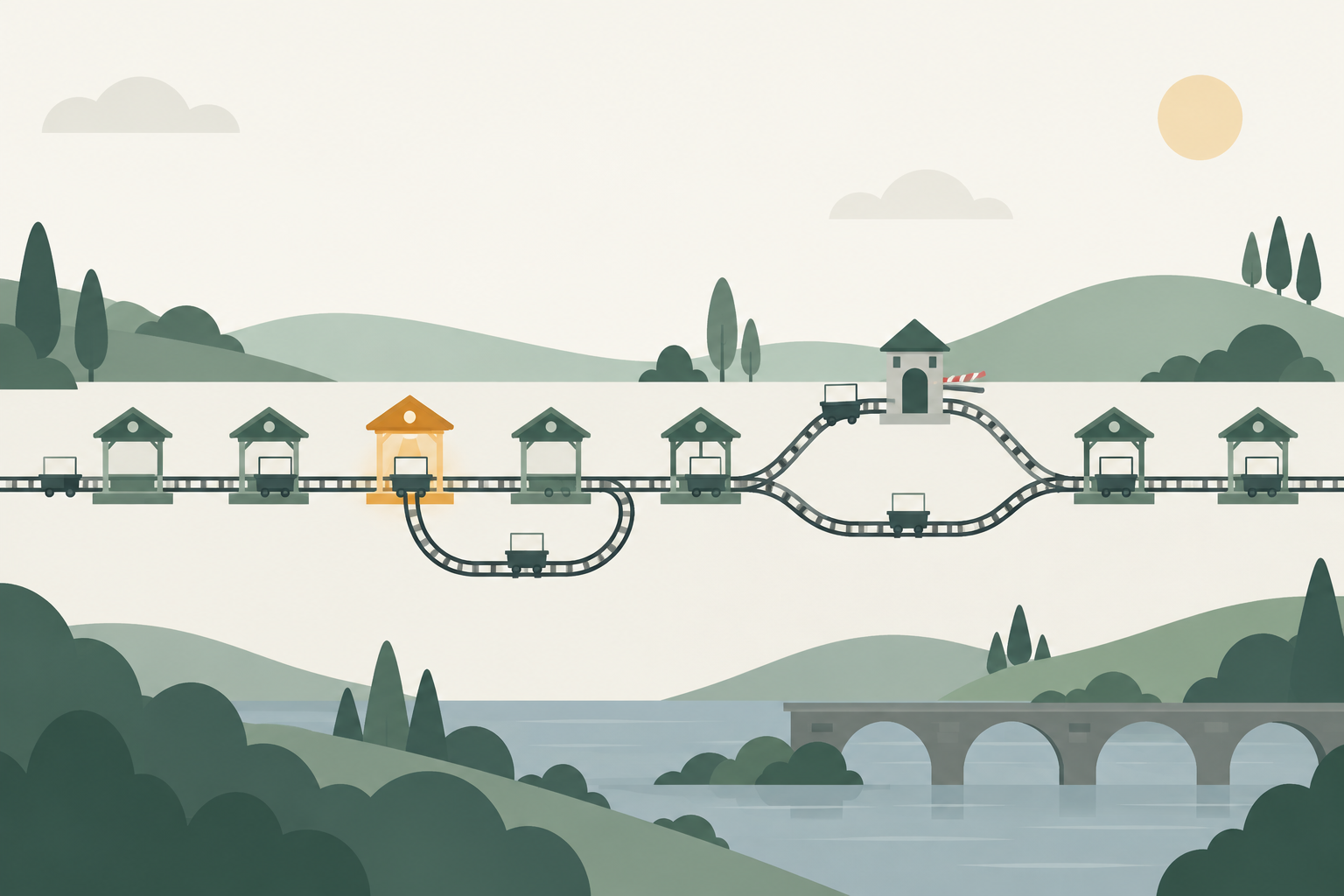
A B2B creative review process routes each ad by what changed
A B2B creative review process should send each ad only to the reviewers whose decision the change touches, so legal sees new claims and brand sees new looks. Sending everything to everyone is how one resized banner ends up waiting a week behind a contract review.
The rule is simple to state: the reviewer list depends on what is new in the ad, never on how important the campaign feels. Here is a routing table to start from.
| What changed in the ad | Brand review | Legal or compliance review | Notes |
|---|---|---|---|
| Resized or reformatted an approved ad, with no new words | No | No | Pre-check confirms the specs and that the words match the approved version |
| New combination of approved headlines and copy | No | No | Every line must already be in the approved copy bank |
| New copy with no new claim | Yes | No | Brand checks voice and message |
| New visual, new concept or new format | Yes | No | Includes AI-generated images |
| Any new number, comparison, customer name, logo, quote or certification | Yes | Yes | The claim must be in the claims register before legal sees it |
| Any mention of a competitor | Yes | Yes | Comparative claims need the same evidence as any other |
| Regulated category: financial services, crypto, health, employment | Yes | Yes, every ad | LinkedIn restricts financial services and cryptocurrency; Meta requires US financial, housing and employment ads to run as a Special Ad Category |
The first two rows are where the time comes back, because most of what a B2B paid team ships in a quarter is variants of something already approved: new sizes, new combinations, a fresh image behind the same copy. Once the pre-check confirms that nothing new has slipped in, those ads can go straight to build.
Decide the routing before the campaign starts and write it on the brief.
The pre-check checklist covers specs, policy, claims and brand
The AI pre-check checklist has four sections, and each line is something a model can test against a document you give it: the platform spec sheet, the platform's ad policy, your claims register, and your brand guide. Anything it can't test against a document stays with a person.
Specs, checked against each platform's official limits
These are the limits on the official spec pages as of November 2026. Specs change, so treat this table as the version to start from and recheck it each quarter.
| Platform and format | Text limits | Image limits | Source |
|---|---|---|---|
| Google Ads responsive search ad | Headlines up to 30 characters, 3 to 15 of them; descriptions up to 90 characters, 2 to 4; two paths up to 15 characters each | Not applicable | About responsive search ads |
| Microsoft Advertising responsive search ad | 3 to 15 headlines of up to 30 characters and 2 to 4 descriptions of up to 90, counted after dynamic text is filled in; paths up to 15 characters, and domain plus paths up to 67 | Not applicable | ResponsiveSearchAd reference |
| LinkedIn single image ad | Intro text up to 150 characters to avoid truncation (3,000 maximum); headline up to 70 (200 maximum); description 100 (300 maximum) | JPG, PNG or GIF, 5 MB maximum; 1.91:1 at 1200 x 628, 1:1 at 1200 x 1200, or 4:5 at 720 x 900 | Single image ads specs |
| Meta image ad, Facebook Feed (Awareness spec page) | Recommended primary text of 50 to 150 characters and a headline of 27 characters | JPG or PNG, 30 MB maximum; recommended 4:5 at 1440 x 1800 | Facebook Ads Guide |
The Microsoft detail is the one a person misses and a model catches. Microsoft's API reference says the 30 and 90 character limits apply after dynamic text substitution, and that if a headline runs over, "The ad will fail to display or default text will be used." A headline with keyword insertion that fits for short keywords and breaks for long ones is exactly the kind of thing a checklist finds and a tired reviewer doesn't.
For LinkedIn, the pre-check should flag both the truncation point, where your message gets cut off in the feed, and the hard maximum.
Platform policy, checked against each platform's own wording
| Platform | What the pre-check flags | Source |
|---|---|---|
| Google Ads | Repeated punctuation such as "!!", symbols or numbers replacing letters, decorative asterisks, emoji; claims that promise "an improbable result"; offers that aren't available; a competitor's trademark in the ad text | Editorial: punctuation and symbols, Misrepresentation, Trademarks |
| Claims without factual support; inaccurate claims about competitors; the word "LinkedIn" in the ad; incorrect spelling, grammar, punctuation, excessive emojis or capitalization; restricted categories | LinkedIn Advertising Policies, last revised November 18, 2025 | |
| Microsoft Advertising | Anything its editorial guidelines reject; every ad must pass editorial review before it serves, and an updated ad goes through the same review as a new one | Editorial review and appeals |
| Meta | Products or services that don't match the landing page; anything else against the Advertising Standards (paste the current text in rather than relying on the model's memory) | Meta Advertising Standards |
LinkedIn's policy puts the claims rule in one line: "Any claims in your ad must have factual support." Google's trademark page adds a practical warning for comparison ads: if a trademark owner complains, Google will "review it and may restrict use of the trademark" in ad text.
Claims and brand, checked against your own documents
These are the lines legal and brand would otherwise find on their own time.
| Check | AI flags when | A person decides |
|---|---|---|
| Every number, percentage and time saving | The figure isn't in the claims register, or differs from it in any way, including rounding | Legal, whether a new claim can be added |
| Comparisons and superlatives | The ad says faster, cheaper, first, only or more than a named or implied competitor | Legal, whether the evidence holds |
| Customer names, logos and quotes | The customer isn't on the approved logo and quote list, or the quote differs from the signed version | Brand, with the customer marketing owner |
| Certifications and integrations | A certification, compliance standard or integration isn't on the current product list | Product marketing |
| Offer and landing page | The ad promises something the landing page doesn't show | Paid media lead |
| Voice and banned terms | Words from the brand's banned list, or terms the brand guide spells differently | Brand owner |
| Logo and color use | The logo version, clear space or background breaks the brand guide (for images, ask the model to describe what it sees) | Brand owner |
| AI-generated people and products | A face, screen or product shot that may be generated | Brand owner, using the rules in your guardrail policy |
| Naming and tracking | Ad name or UTM parameters don't follow the naming convention | Paid media specialist |
The US legal bar behind the claims rows is old and plain. The Federal Trade Commission's advertising FAQ for business says "The law requires that advertisers have proof before the ad runs," and that "Comparative advertising is legal as long as it is truthful." The pre-check doesn't decide whether your proof is good enough. It makes sure every claim has a named source on file before anyone senior reads the ad.
AI flags the problem and a named person signs the ad
AI should never approve an ad. A model reading a checklist is good at finding things that differ from a document, and unreliable at deciding whether a borderline case is acceptable, which is the only part of review that needs a senior person.
The research supports that split. A 2025 study by Haoyang Gui and colleagues on LLM compliance checks for influencer marketing, using 1,143 Instagram posts, found two models classified posts as sponsored or not with F1 scores up to 0.93, but "performance drops by over 10 points on ambiguous cases." Adding the regulatory text to the prompt improved the explanations without consistently improving detection. So the model does well on the clear cases and worse on exactly the ones a lawyer is paid to judge.
No published benchmark for AI pre-checks on B2B ad creative turned up in research, so don't believe a tool that quotes you a catch rate without telling you what it was tested on. Measure your own instead, using the signals in the last section.
A workable rule for the team: the pre-check can block an ad from moving forward, and it can never move one forward on its own. A flag means "a person looks at this." A clean report means "ready for the reviewers this ad is routed to," never "approved." The four spend and launch decisions that stay with a person are set out in our guide to where humans stay in the loop on ad spend.
Run the pre-check as a saved prompt with four source documents
The pre-check runs well as a saved prompt in a Claude Project or a ChatGPT project, with four documents loaded as files: the spec tables above, the platform policy excerpts, your claims register, and your brand guide with its banned-terms list. Once it works, the same instructions can become a Claude skill so it runs the same way for everyone, as our guide to Claude skills for marketing explains.
Feed it the ads as text plus the image files, and include the brief, so it knows which claims were meant to be there. Here is a prompt to start from:
You are the pre-check for our paid media creative approval workflow.
You flag problems. You never approve an ad.

Source documents (attached):
1. platform-specs.md: character and image limits per platform and format
2. platform-policy.md: excerpts from Google, Microsoft, LinkedIn and Meta ad policies
3. claims-register.csv: every approved claim, its source document and date checked
4. brand-guide.md: voice rules, banned terms, logo and color rules,
   approved customer logos and quotes

Inputs: the brief, then each ad with its platform, format, every text field
and its image files.

For each ad, check in this order:
A. Specs: count characters in every field (after any dynamic text is filled in
   with the longest likely keyword); flag anything over the limit or past the
   truncation point; check image ratio, size and file type.
B. Policy: flag anything that matches a rule in platform-policy.md. Quote the rule.
C. Claims: list every number, comparison, superlative, customer name, logo,
   quote, certification and integration. For each, give the matching row in
   claims-register.csv or write NOT IN REGISTER. Treat rounding as a mismatch.
D. Brand: flag banned terms, off-voice phrases, and logo or color use that
   breaks brand-guide.md. Describe what you see in each image before judging it.
E. Routing: say what is new compared with the brief and the approved copy bank,
   and which reviewers the routing table sends this ad to.

Output one table per ad with columns: check, field, what you found, rule or
source, severity (block / review / note). Then one line: "Ready for [reviewers]"
or "Blocked: [count] items". If you are unsure, mark it review, never pass.
The severity column does the routing work. A "block" goes back to the author at stage 4, a "review" travels with the ad to the human reviewer so they look at that line first, and a "note" is information only. Brand and legal get the flag report with the ad, which turns their review from a read of everything into a check of the items that need them.
Imagine, as a hypothetical, a team launching 12 LinkedIn variants and 6 responsive search ads for an event. The pre-check blocks two LinkedIn headlines that run past 70 characters and an RSA headline that breaks 30 characters when keyword insertion fills in a long product name. It marks one "review" line because a variant says "trusted by 400 finance teams" where the register says 380. The routing table sends 14 of the 18 ads to brand only, and the 4 with the customer-count claim and a competitor mention to legal as well. Legal reads 4 ads with the questionable lines already marked, instead of 18 ads cold.
Where creative approval workflows break
Creative approval workflows usually break in one of five ways, and the pre-check fixes only some of them.
Reviewers stop reading because the report is clean. A green report invites a rubber stamp. Keep the rule that brand reads every routed ad in full, and use the flag report to point them at specific lines, not to excuse them from the rest.
The source documents go stale. The pre-check is only as current as the spec sheet and claims register you give it. A claims register with a figure from a case study that has since been updated will pass the old number happily. Put a "date checked" on every row, and have the pre-check flag any claim whose date is more than 90 days old.
Platform AI writes copy after approval. Google's AI Max text customization and Meta's Advantage+ creative enhancements can generate or rework text after your workflow has signed the ad off, so a clean approval log doesn't cover what actually served. The guardrail policy linked at the top covers where those settings live; the workflow's job is to record which campaigns have them on, so reviewers know what they approved was a starting point.
The fix happens in the platform. Someone spots a typo after launch, fixes it directly in Campaign Manager, and the ad goes back into LinkedIn's review with an unlogged change. Any edit after stage 8 goes back through stage 3, even a single word.
Too many reviewers on every ad. If the routing table gets overruled every time a VP asks to see the ads, it's decoration. Give senior stakeholders the log and a weekly summary of what launched, and keep them out of the queue.
How Scalewell gets the pre-check running on every ad in your team's week
One round of brand and legal review per ad, after an AI pre-check, is the gain Scalewell works toward. It starts with a free 30-minute call, then an audit of the team's week that maps the recurring jobs and scores which one AI should take on first, for a ranked roadmap.
A build sprint creates those first jobs in the team's existing tools, adding new systems only where needed. The engagement usually takes 8 to 12 weeks, sometimes longer, run by B2B paid media practitioners who judge each job on time saved and pipeline. The team ends with AI doing real jobs, a roadmap of the next ones, and people trained to adjust it without depending on Scalewell.
The workflow is working when rounds drop and legal finds less
A creative approval workflow is working when three numbers move: human review rounds per ad fall to one, days from first draft to live fall, and the issues brand and legal raise shift from mechanical errors to real judgment calls. Log all three from the first campaign so you have a before and after.
Track platform disapprovals alongside them, from the ad status in Google Ads and Microsoft Advertising and from the reporting dashboard in LinkedIn's Campaign Manager. A disapproval the pre-check should have caught means the policy document needs a new line. An issue legal raises that the checklist could have tested means the checklist needs one too.
A team that ships variants in two days instead of ten gets more tests through in a quarter, and replaces a tiring ad sooner when an ad fatigue check flags it. Those tests, read by opportunities in the CRM, are the point. Our guide to AI creative testing covers planning tests that can conclude.
Where to start
This week, write down every number, comparison and customer name your live ads use, with the source behind each and the date you checked it, because that list is the claims register the pre-check runs on. Once that register exists, Scalewell can help put AI to work on the pre-check, so the approval queue stops setting your launch date.
Frequently asked questions
What is the difference between creative review and creative approval?
Creative review is the feedback stage, where people comment on drafts and ask for changes. Creative approval is the decision that a specific version can run, recorded with the approver's name and the date. Many teams blur the two, which is how an ad gets "approved" in a comment thread and nobody can later say which version was signed.
How many rounds of revisions should an ad go through?
Allow one round per reviewer. If the brief lists every claim and the AI pre-check clears mechanical errors first, a second round usually means the brief was unclear or a reviewer changed their mind about the message. Fix that in the next brief rather than adding rounds, and log the reason whenever a second round happens.
Should agencies follow the same approval workflow as the in-house team?
An agency should run the same pre-check against the same claims register and brand guide, and send the flag report with every ad it submits. Give the agency read access to the register rather than a copy, so it never works from an outdated version, and put the routing rules in the statement of work.
What should you do when Google or LinkedIn rejects an ad?
Read the stated reason first: LinkedIn emails it and shows the ad's status in Campaign Manager's reporting dashboard, and Google shows the review status on the ad in your account. Fix the ad, run it back through the pre-check, and add the rule to your policy document so it gets flagged next time. Google lets you appeal disapprovals you believe are wrong.
Does every B2B ad need legal review?
No, only ads with a new claim, a competitor mention or a regulated subject such as financial services. Resized ads and new combinations of approved copy can skip legal once the pre-check confirms nothing new was added. Sending every ad to legal mostly teaches legal to skim, which is the opposite of what you want.