AI Max for Google Ads: what changes in Search and how to test it
What AI Max changes inside a Google Ads Search campaign, which controls replace keyword work, and how to test it on opportunities instead of form fills.
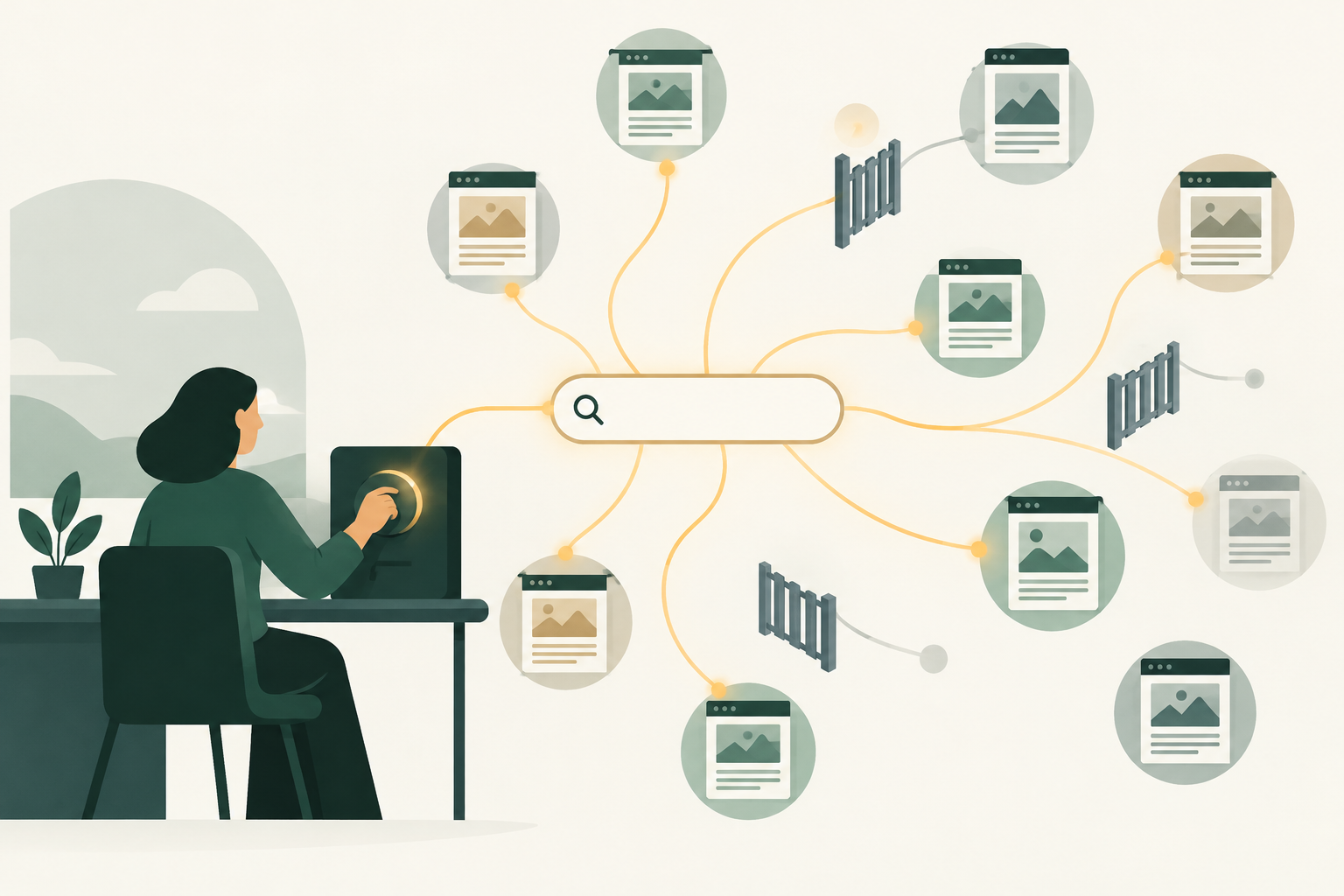
AI Max for Google Ads is a setting inside a standard Search campaign that adds three features: search term matching beyond your keywords, AI-written headlines and descriptions, and landing pages Google picks from your site. As of November 2026 it is on by default in new Search campaigns, and you test it with Google's built-in AI Max experiment.
You probably met AI Max the awkward way. Someone opened the search terms report in September, found a new match type called "AI Max", and asked who switched it on. The answer was often nobody, because Google upgraded a lot of campaigns automatically. And now the CMO wants to know whether to keep it.
This guide is for the paid media lead who has to answer that question with data. It covers what each feature changes, which controls replace the keyword work you used to do, and a test design built for B2B lead generation, where a cheap form fill and a sales opportunity are very different things. For the wider question of Google's own AI against the AI you bring yourself, read AI in Google Ads: Google's built-in AI vs your own.
AI Max for Search adds three features to an existing campaign
AI Max for Search is an optimization layer inside an existing Search campaign, and Google's help page on how it works describes two main parts: search term matching and asset optimization, where asset optimization holds text customization and Final URL expansion. Each part can be switched off on its own, which matters more than any headline claim about uplift.
| Feature | What it changes | Where you control it |
|---|---|---|
| Search term matching | Expands beyond your keywords using broad match and keywordless technology that reads your ads, assets and landing pages | Campaign level, then on or off per ad group |
| Text customization | Writes headlines and descriptions from your existing ads, landing page copy and assets with generative AI | Campaign level |
| Final URL expansion | Sends the click to whichever page on your domain Google predicts will perform best | Campaign level, and only works if text customization is on |
Two details catch teams out. Final URL expansion stops your pinned responsive search ad assets from serving when Google picks a different URL, so any legal line you pinned in headline one may not appear. And Google's AI Max FAQ says search term matching does not work with Manual CPC bidding, so the feature set assumes Maximize Conversions or Maximize Conversion Value. That makes your conversion definition the most important input in the whole setup, which we come back to below.
On the reporting side, Google's AI Max reporting page lists an "AI Max" match type and a Source column in the search terms report, two summary rows in the keywords report ("Total: AI Max expanded matches" and "Total: AI Max landing page matches") and a "Selected by" column in the landing pages report. Google's API reporting guide defines the two match sources: broad match expansion of your keywords, and keywordless matches derived from your website content.
Your account may already be running AI Max
New Search campaigns have AI Max turned on by default, according to Google's setup guide. Older campaigns were swept in too. Google's upgrade announcement, posted April 15, 2026 and updated June 11, says campaigns using automatically created assets or the campaign-level broad match setting would auto-upgrade from September 2026. Dynamic Search Ads got a reprieve: their auto-upgrade now begins in February 2027.
So before you plan a test, find out what you already have. In the campaign list, add the AI Max settings as columns, which the setup guide says you can do, and check every Search campaign. If you pull data through the Google Ads API, the Campaign.AiMaxSetting reference exposes an enable_ai_max switch and an output-only bundling_required field that flags campaigns which adopted AI Max before and must keep it on to use features like brand list targeting.
A quick audit tells you which situation you're in. A campaign that was upgraded without anyone deciding is a different problem from one you never touched, because the first one has already been learning on traffic you never approved. Scalewell helps paid teams make this review part of their regular week, so AI Max learns from the CRM outcomes the team actually wants and no upgrade goes unnoticed.
Six controls now do the work keywords used to do
AI Max replaces some of the precision you used to get from tight keyword lists with settings that limit where the expansion can go. These are the guardrails Google documents as of November 2026.
- Negative keywords. The FAQ confirms negatives are still respected with AI Max on. Your existing lists keep working, and the routine in our negative keywords guide applies to AI Max terms as well.
- Brand exclusions and inclusions. Brand exclusions sit at campaign level and stop your ads showing alongside the brands on your list. If brand runs in its own campaign, we'd put your own brand on that list too. Brand inclusions work at campaign or ad group level, and the ad group setting overrides the campaign one.
- Locations of interest. This ad group setting targets people by the place they are searching about, even on keywordless matches, and Google says it is exclusive to AI Max.
- URL exclusions. These keep Final URL expansion away from pages such as careers, support, login or the blog. Read the URL exclusions page before writing rules: "URL contains" matches whole tokens, so a rule for "auto" will not block "/automation", and "faq" will not block "/faqs".
- URL inclusions. These limit landing pages to the URLs you choose at ad group level, and they also switch off pinning.
- Text guidelines. When text customization is on, you can set term exclusions and messaging restrictions that the generated copy must follow. You cannot edit the generated assets themselves, but you can remove them, and Google's reporting page says bulk removal is available through Google Ads Editor and the API.
Google's figures and independent tests point in different directions
Google's figures are the optimistic end. Its May 2025 launch post claims advertisers typically see 14% more conversions or conversion value at a similar CPA or ROAS, and 27% for campaigns that took more than 70% of conversions from exact and phrase match, both from Google's internal 2025 data for non-retail advertisers. A 2026 Google testing guide puts the average at 15%. These are Google's own claims about its own product, measured on whatever each advertiser counted as a conversion.
Independent data is less tidy. Mike Ryan, head of ecommerce insights at Smarter Ecommerce, analyzed over 250 Search campaigns with AI Max on and found a median 13% more conversion value, with those conversions costing a median 16% more than business as usual. ROAS ranged from 42% above baseline to 35% below. Marija Morozova at Advance Metrics reported that in about a quarter of her agency's test accounts AI Max delivered clear improvements, and in around 75% it lagged or showed no meaningful gain. She named very specific B2B products and technical niches as a case where it often fails to find relevant queries.
What does that mean for you? The spread is wide enough that nobody's average predicts your account, and we found no public study that measured AI Max against sales opportunities in B2B. That gap is the reason to run your own test, and to run it on the right number.
Set up the guardrails before you test
An AI Max test in lead generation can be lost before launch, because the bidding learns from whatever you count as a conversion. Get these in place first.
- A conversion that means something. If your primary conversion is any form fill, AI Max will find more people who fill in forms, including students and job seekers. Import qualified outcomes instead. Google's enhanced conversions for leads matches CRM outcomes back to clicks using hashed lead data; note that since June 15, 2026 those uploads go through the Data Manager API.
- Enough volume. Google's four-step testing guide recommends an A/B experiment for campaigns with at least 50 monthly conversions, a 30-day before and after comparison for 20 to 50, and other options below 20.
- An eligible campaign. The AI Max experiments page rules out campaigns that already have text customization on, target the Display Network, use a portfolio bid strategy or a shared budget, use bidding exploration, or have another active experiment.
- Working tracking templates. Final URL expansion swaps in dynamic landing pages, and Google warns that templates without a correctly placed {lpurl} tag can send clicks to a 404 page.
- Exclusions written in advance. Build your brand list, your URL exclusions and your negative list before day one, because Google's testing guide advises against changing the campaign setup during the test window.
This is the slow part, and it's tempting to skip it because the experiment button is right there. But a test that optimizes to form fills will tell you, with great confidence, that AI Max finds more form fills.

Run the AI Max test in seven steps
- Pick one campaign with headroom. Google suggests generic, solution-type queries or campaigns that lean on exact and phrase match. In B2B that usually means a category campaign, never your brand campaign.
- Record the baseline. Pull 90 days of spend, conversions, and the CRM outcomes behind them: qualified leads, opportunities and pipeline value, so the comparison has a fixed reference.
- Create the experiment. Go to Experiments in the Campaigns menu, select the plus button, choose Campaign features and settings, then AI Max for Search campaigns. You can deselect text customization or Final URL expansion for the treatment arm, and any brand inclusions or exclusions you add here apply to both arms.
- Decide what the treatment includes. Turning on all three features gives AI Max the most room, while testing search term matching alone tells you what the expansion is worth without touching your copy. Pick one and write the reason down.
- Untick auto-apply. Google's testing guide says the setting to apply the experiment if the treatment arm wins is checked by default, so look for it during setup. Leave the decision with a person who can see CRM data, a principle we set out in humans in the loop for ad spend.
- Leave it alone, but read it weekly. Google asks for at least two weeks before changes like new negatives. Review new AI Max search terms and selected landing pages each week anyway, and only intervene for terms plainly outside your market. Log every change.
- Wait for the lag, then call it. Google says to wait 7 to 14 days after the test ends before pulling final numbers and to exclude the learning period. In B2B, wait until the leads from the test window have had time to become opportunities.
Judge the test on pipeline, not on the experiment summary
The experiment summary reports what Google counts as conversions, so it can declare a winner that your CRM disagrees with. Here's a hypothetical to show how.
Imagine a campaign spending $40,000 over the test, split $20,000 per arm, optimizing to demo requests.
| Hypothetical result | Control arm | AI Max arm |
|---|---|---|
| Spend | $20,000 | $20,000 |
| Demo requests | 80 | 100 |
| Cost per demo request | $250 | $200 |
| Opportunities created in CRM | 16 | 14 |
| Cost per opportunity | $1,250 | $1,429 |
Google's report would show AI Max winning by 20% on cost per conversion. Your pipeline report shows it losing by about 14% on cost per opportunity. Both are correct, and only one of them pays for anything. So we'd use a two-gate rule: AI Max stays on only if cost per opportunity is no worse than control, and if no more than an agreed share of AI Max spend went to search terms you would never have bid on.
Hold Google to the same ruler you use for LinkedIn and every other channel. If your B2B paid media budget is judged on cost per opportunity, a Search test judged on cost per lead will win budget arguments it shouldn't, usually at LinkedIn's expense.
Where AI Max goes wrong in B2B accounts
The failures are predictable, which at least means you can watch for them.
- Category drift. Keywordless matching reads your landing pages, so a page that mentions "free template" or "careers" can pull in searches you'd never buy. URL exclusions and negatives are the fix.
- Cannibalization dressed up as growth. Some AI Max matches overlap with traffic your broad match keywords or Performance Max already won. The keywords report summary rows show AI Max contribution, not incrementality, which is why the experiment matters.
- Copy that says too much. Text customization writes from your site, and you can't edit what it writes. In regulated categories such as fintech, set text guidelines and review generated assets in the asset report, where they appear as "Google AI" in the "Added by" column.
- Small accounts testing on noise. A campaign with 25 conversions a month split 50/50 gives each arm about 12, and that tells you almost nothing.
- Nobody owns the decision. The September auto-upgrades showed what happens when a default makes the call. Somebody should own every AI Max toggle in the account and know why it's on.
Who should leave AI Max off for now
Some accounts are better off waiting. If your conversion action is still "any form submit" and you have no CRM import, fix that first, because AI Max will scale whatever signal you give it. If you sell a narrow technical product with a small search vocabulary, the independent evidence above suggests the expansion has little to find. And if you rely on pinned headlines for compliance, keep Final URL expansion and URL inclusions off, as Google advises, and test search term matching alone.
For everyone else, a test is worth the effort, because the default is already deciding for you. How AI Max fits next to scripts, agents and the rest of your stack is covered in AI PPC management: how AI fits into PPC in 2026.
Where to start this week
Open your Search campaigns, add the AI Max columns, and write down which campaigns have it on and whether anyone chose that. Then check that the conversion each one bids toward is one your sales team would recognize, and only after that pick a campaign to test.
Scalewell sets up this kind of test and the CRM reporting behind it for paid teams that want the decision made on pipeline.
Frequently asked questions
Is AI Max for Search the same as Performance Max?
No. Performance Max is its own campaign type that serves across Google's channels, while AI Max for Search is a set of features inside a standard Search campaign, keeping its ad groups, keywords and Search-only reporting. When the same search could trigger both, Google serves whichever has the higher Ad Rank, so they can compete for the same queries.
Can I turn AI Max off after testing it?
Yes. You can switch it off in the campaign's AI Max settings, and Google says re-enabling it later restores the same features as before. Switching it off also disables controls that belong to AI Max, such as brand exclusions and URL exclusions, so check those settings and move brand protection elsewhere if you still need it.
Does AI Max work with Google Ads Editor and the API?
As of November 2026, the Google Ads API reference documents an AI Max setting on campaigns, with an enable_ai_max switch, and Google's reporting page says generated text assets can be removed in bulk through Editor and the API. The FAQ page still carries an older note saying support was expected later in 2025, so test any automation on one campaign first.
What happens to Dynamic Search Ads campaigns?
Google says Dynamic Search Ads will begin auto-upgrading to AI Max in February 2027, after delaying the original September 2026 date. You can upgrade earlier from the Dynamic Search Ads settings panel: dynamic ad groups become standard ad groups, the ads become responsive search ads, and legacy page title or page content rules become read-only.
How long should an AI Max test run?
Plan for at least six to eight weeks in B2B. Google asks for two weeks before changes and a further 7 to 14 days after the test for conversion lag, and Advance Metrics suggests eight weeks of runtime for a solid evaluation. Long sales cycles add time on top, because opportunities arrive weeks after the lead.